For WooCommerce store owners, product labels and badges are a simple way to communicate important information without forcing customers to open every product page. Messages such as “New Arrival,” “Best Seller,” “20% Off,” “Only 3 Left,” or “Free Shipping” can make products easier to understand and help shoppers notice promotions while browsing a catalog.
Advanced Woo Labels is a WooCommerce plugin designed specifically for this purpose. Developed by KramaKit, it lets store owners create, customize, and automatically display product labels based on product information, page conditions, users, dates, and other rules. The plugin currently has more than 10,000 active installations and more than 800,000 total downloads according to its official product page.
But is Advanced Woo Labels worth adding to a WooCommerce store? This review looks at its features, customization options, display conditions, integrations, performance, free and Pro versions, advantages, limitations, and the types of stores that can benefit most from it.
What Is Advanced Woo Labels?
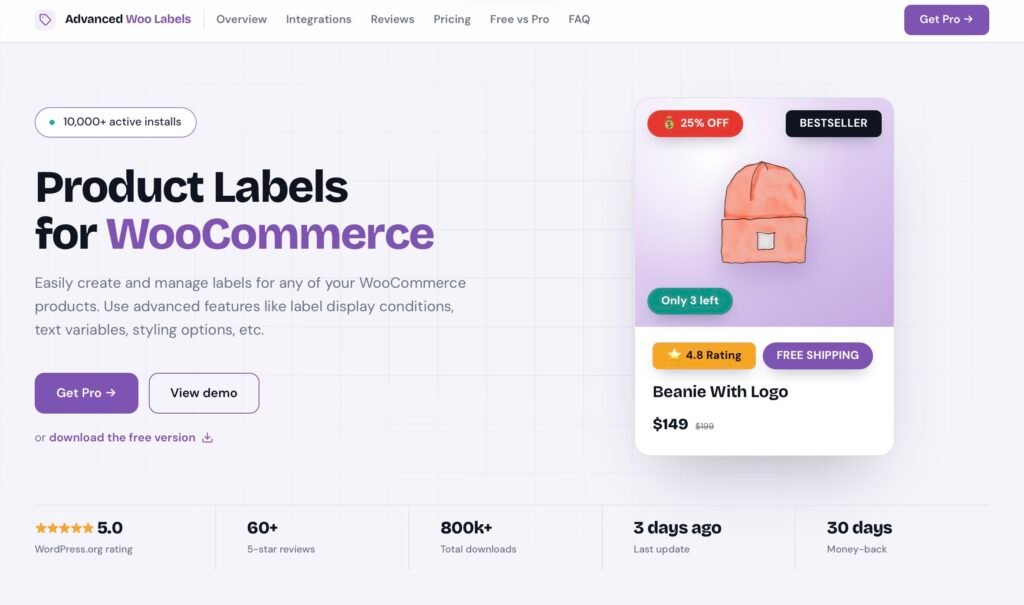
Advanced Woo Labels is a product badge and labeling plugin for WooCommerce. Its main purpose is to give store owners more control over how they present product information visually.
Instead of relying only on the standard WooCommerce or theme-generated “Sale” and “Out of Stock” badges, users can create their own labels and determine when and where they should appear. The plugin supports labels on product images and before product titles, while additional positioning can be configured through WooCommerce hooks.
The plugin can be used for straightforward messages such as “New,” “Sale,” or “Featured,” but its more advanced functionality allows labels to display dynamic product information. For example, a label can automatically show a discount percentage, sale price, stock quantity, SKU, or other available product data.
This makes it more than a basic badge generator. For stores with large catalogs, the ability to automate labels based on conditions can save considerable manual work.
Key Features
Custom Product Labels
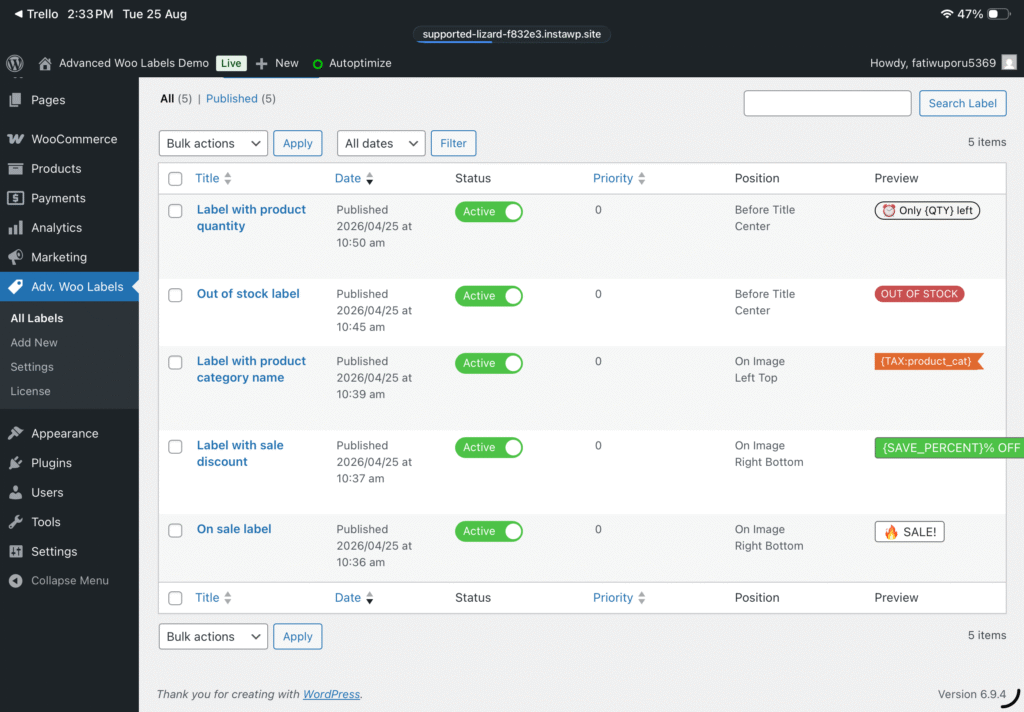
The foundation of Advanced Woo Labels is its custom label system. Store owners can create unlimited labels and apply them to products according to their needs. You can use labels for promotions, product categories, inventory information, seasonal campaigns, or merchandising strategies.
The free version already supports custom text, multiple labels, label groups, different positions, alignment options, and several styling controls.
For example, a clothing store could use labels such as “New Arrival” for recently added products, “Bestseller” for popular items, and “Sale” for discounted products.
Dynamic Text Variables
One of the plugin’s strongest features is its text-variable system. Rather than manually updating every label, store owners can insert product-related information dynamically.
Supported variables include information such as price, sale price, discount percentage, discount amount, SKU, quantity, and stock status. Pro adds additional variables covering areas such as attributes, taxonomies, custom fields, reviews, ratings, and sales information.
This is especially useful for large catalogs.
For instance, instead of manually creating a separate badge for every product, a store could use a dynamic format that automatically displays the applicable discount percentage. When the product’s price changes, the label can reflect the updated information.
Advanced Display Conditions
Display conditions are where Advanced Woo Labels becomes considerably more flexible than a simple product badge plugin.
You can display labels according to product characteristics such as stock status, sale status, featured status, taxonomy, or price range. The plugin can also use page-related conditions and user-related conditions.
The Pro version expands these possibilities with conditions based on product type, product age, sale dates, sales numbers, attributes, custom fields, user country, device, language, cart contents, and other criteria.
You can combine conditions using AND and OR logic. This allows store owners to create more precise rules instead of displaying the same badge across an entire catalog.
For example, a store could create a “Top Rated” label for products that meet a particular rating requirement while also satisfying a stock condition. More complex campaigns can combine multiple criteria to determine exactly when a label should appear.
Flexible Styling
Product badges need to fit the store’s visual identity, and Advanced Woo Labels provides a wide range of styling controls.
Users can adjust label colors, text colors, font size, font style, opacity, margins, and padding. Different predefined shapes are available, while Pro provides additional options such as borders, shadows, rotation, and more styling controls.
This makes it possible to create different visual systems for different purposes. A discount badge can use one style, while an informational badge can have another.
The plugin also includes a live preview, allowing administrators to see how label changes look before publishing them.
Label Groups
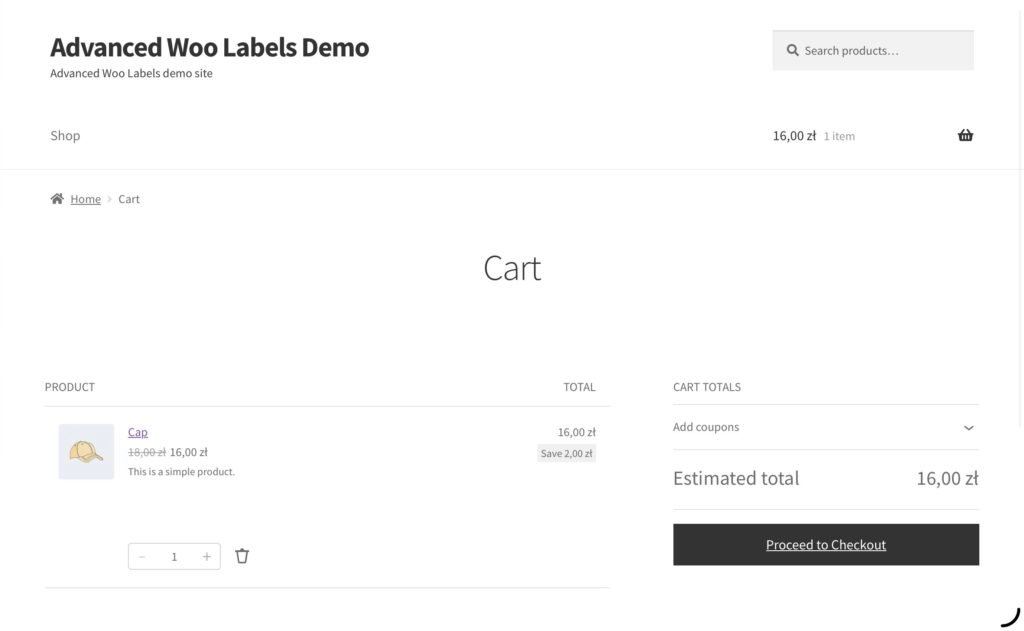
You can display multiple labels for the same product. Advanced Woo Labels allows you to organize these labels into groups, with options for alignment, spacing, priority, and maximum numbers of labels.
This is useful when a product needs to communicate several pieces of information simultaneously.
For example, a product could have “Best Seller” and “20% Off” labels, while another could show “New Arrival” and “Free Shipping.”
However, store owners should use this feature carefully. Too many badges can make product cards visually crowded and reduce the clarity that labels are supposed to provide.
Positioning and Theme Compatibility
Advanced Woo Labels supports two primary positions: on the product image and before the product title. You can align labels to different sides of their position, while custom WooCommerce hooks can provide additional positioning flexibility.
Theme compatibility is another important consideration for WooCommerce plugins. The developer states that the plugin works with almost all available WordPress themes and provides hook settings that can help when a theme requires a different placement.
The plugin also supports popular page builders and WooCommerce-related integrations, including Gutenberg, Elementor, Beaver Builder, WPBakery, Divi Builder, Bricks, Breakdance, and others.
That makes it suitable for stores that do not rely on a standard WooCommerce layout.
Integrations
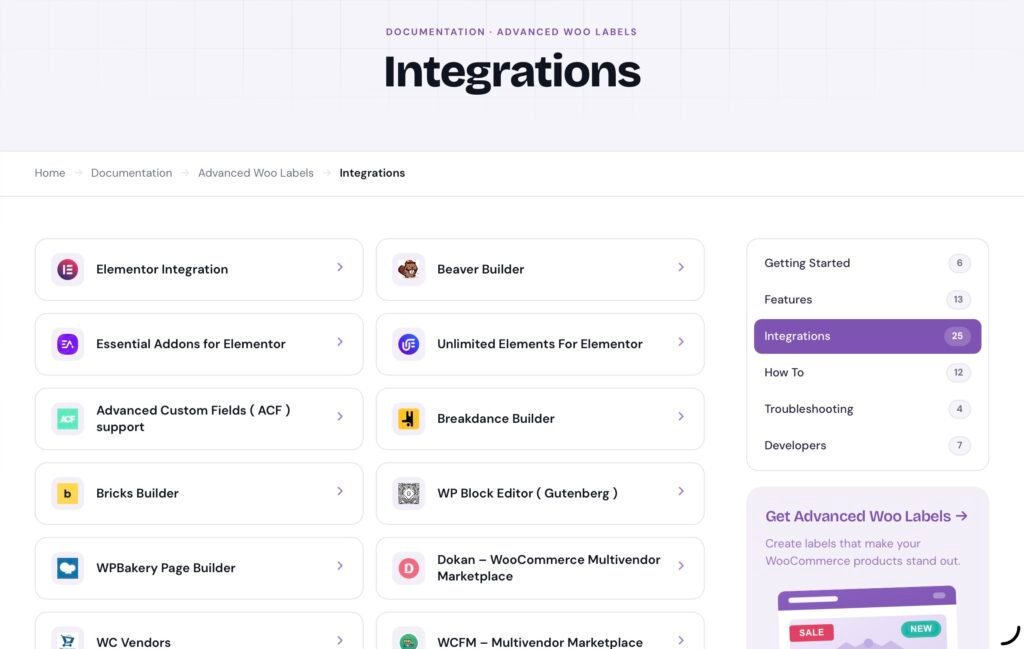
Advanced Woo Labels has an extensive integration ecosystem.
The plugin supports multilingual tools such as WPML and Polylang, helping stores display translated labels on multilingual websites. It also integrates with Advanced Custom Fields, allowing ACF values to be used in labels and conditions.
For marketplace websites, Pro integrations include Dokan, WCFM, MultiVendorX, and WC Vendors. These integrations can allow labels to use vendor-related information and conditions.
This is particularly valuable for larger WooCommerce installations where products are managed through custom fields, multilingual systems, or multivendor plugins.
Image Labels and Animations
For stores looking for more visual customization, the Pro version supports image labels using formats such as PNG, JPG, GIF, and SVG. This can be useful when a store has branded badge artwork or wants to use a particular visual design instead of a text-based label.
Pro also adds animations such as fade, slide, pulse, and bounce. With these you can make badges more noticeable, although you should use animation selectively. Too much movement across a product grid can distract customers from the actual products.
The Pro version also supports clickable labels, meaning a label can link shoppers to a custom URL. This could be useful for directing customers toward a sale collection, campaign page, or informational page.
Performance
Performance is an important consideration when adding another plugin to WooCommerce.
According to the developer, Advanced Woo Labels is designed to be lightweight and does not load additional CSS or JavaScript files in the way many feature-heavy plugins do. The WordPress.org listing also describes it as a fast plugin that does not overload the site with extra assets.
Of course, actual performance depends on the complete WordPress installation, theme, hosting environment, number of products, and other active plugins. Still, the plugin’s lightweight approach is a positive point for WooCommerce stores where performance is already a concern.
Free vs. Pro
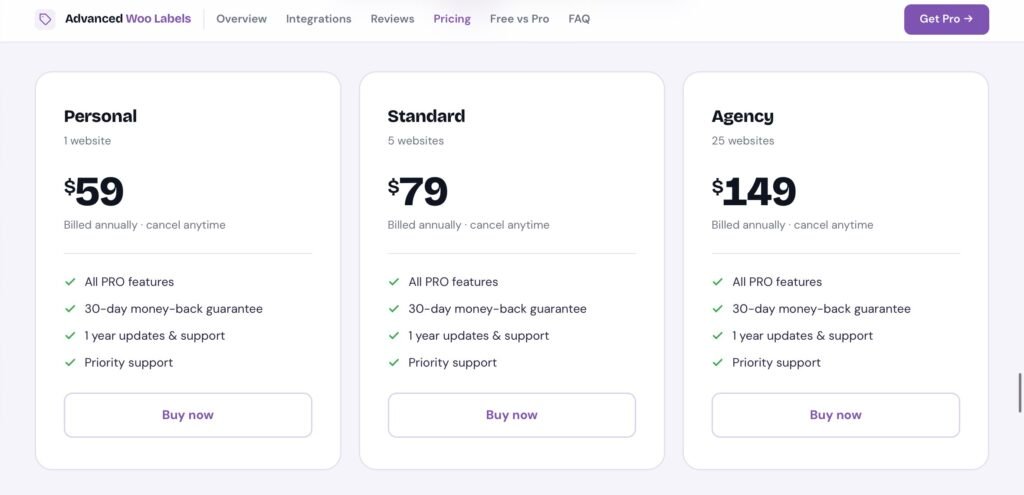
Advanced Woo Labels follows a free-plus-premium model.
The free version provides the essential functionality needed to create product labels, including custom text, basic display conditions, styling, label groups, several positions, and dynamic variables.
The Pro version is aimed at stores that need more advanced automation and customization. Premium functionality includes image labels, additional display conditions, date and time rules, user-based targeting, additional variables, animations, custom links, ACF support, and integrations with several multivendor platforms.
This division makes sense because smaller stores can begin with the free version, while larger stores can upgrade when they need more sophisticated labeling rules.
The official site also states that licenses are available for different numbers of sites, including single-site, up to five sites, and unlimited-site options.
Free vs. Pro Comparison
| Feature | Free | Pro |
| Custom product labels | ✓ | ✓ |
| Unlimited labels | ✓ | ✓ |
| Multiple label groups | ✓ | ✓ |
| Custom text | ✓ | ✓ |
| Dynamic text variables | Basic | Advanced |
| Product image & title positioning | ✓ | ✓ |
| Label alignment & spacing | ✓ | ✓ |
| Basic styling options | ✓ | ✓ |
| Advanced styling (borders, shadows, rotation) | — | ✓ |
| Advanced display conditions | Limited | ✓ |
| AND/OR conditional logic | ✓ | ✓ |
| Date & time conditions | — | ✓ |
| User-based conditions | — | ✓ |
| Product age, sales & attribute conditions | — | ✓ |
| Custom field conditions | — | ✓ |
| Additional dynamic variables | — | ✓ |
| Image labels (PNG, JPG, GIF, SVG) | — | ✓ |
| Label animations | — | ✓ |
| Clickable labels/custom links | — | ✓ |
| ACF integration | — | ✓ |
| WPML & Polylang support | ✓ | ✓ |
| Multivendor integrations | — | ✓ |
| Live preview | ✓ | ✓ |
| Page builder compatibility | ✓ | ✓ |
Ease of Use
Despite the number of available options, the plugin is structured around a relatively straightforward concept: create a label, determine what it says, define where it appears, choose its design, and establish the conditions under which it should be displayed.
The live preview is particularly helpful because visual changes can be checked before publishing.
That said, advanced conditional logic naturally introduces a learning curve. A store owner who only needs a basic “Sale” badge will probably not need most of the advanced settings. Someone building complex rules based on users, products, dates, and custom fields will need more time to understand how those conditions interact.
The developer provides documentation covering installation, label creation, display conditions, text variables, styling, animations, label groups, hooks, image labels, custom links, calculations, shortcodes, and integrations.
Advantages and Disadvantages
Pros
- Extensive label customization options
- Unlimited labels
- Dynamic text variables
- Advanced display conditions
- AND/OR conditional logic
- Multiple label groups
- Live label preview
- Support for popular page builders
- Multilingual support
- WooCommerce marketplace integrations
- Lightweight approach
- Free version available
- Pro version adds advanced targeting and automation
Cons
- Some of the most advanced features require Pro
- The large number of settings may be overwhelming for beginners
- Excessive labels can make product grids visually cluttered
- Advanced conditional rules require some time to configure properly
- Some positioning and customization features may depend on the site’s theme and WooCommerce structure
Who Should Use Advanced Woo Labels?
Advanced Woo Labels is a strong option for WooCommerce stores that need more control over product merchandising.
It is particularly useful for stores with large catalogs, frequent promotions, changing inventory, seasonal campaigns, or multiple product categories. Fashion stores, electronics shops, beauty retailers, food stores, and marketplace websites can all use labels to communicate product information more efficiently.
It is also a good fit for marketers who want to experiment with different types of product messaging. Labels can highlight discounts, create urgency, communicate social proof, identify new products, or provide useful information such as stock status and shipping benefits.
Smaller stores with only a few products may not need all of its advanced functionality, but the free version provides a relatively accessible way to experiment with product badges.
Final Verdict
Advanced Woo Labels is a feature-rich WooCommerce plugin that goes well beyond simply adding a “Sale” sticker to product images. Its biggest strength is the combination of customization and automation.
The ability to create dynamic labels, establish detailed display conditions, combine rules with AND/OR logic, customize designs, and integrate with popular WordPress and WooCommerce tools gives store owners considerable control over product presentation.
Its Pro features make it especially interesting for larger stores that need advanced targeting. Meanwhile, the free version covers many of the fundamental requirements for straightforward product labels.
The main thing to keep in mind is that product labels should support the shopping experience rather than overwhelm it. A carefully selected “20% Off,” “Bestseller,” or “Only 3 Left” badge can communicate useful information immediately, while placing several animated labels on every product can have the opposite effect.
Overall, Advanced Woo Labels is a versatile solution for WooCommerce merchants who want more control over product badges, promotional messaging, and dynamic product information. With more than 10,000 active installations and a 5.0 rating displayed on its WordPress.org listing, it is also an established option in the WooCommerce product-label category.
For a store that needs only a basic sale badge, the free version may be enough. For stores that want advanced conditions, dynamic information, targeted labels, custom images, animations, and marketplace integrations, the Pro version offers a much broader toolkit.
Click here for more.