Running a WooCommerce store is exciting, but as your traffic, products, and features grow, performance can quickly become an issue. Pages start loading slower, checkout feels laggy, and in worst cases, your site might even crash during peak times. All of this usually comes down to one core problem: too much server load.
Reducing server load isn’t about removing features or limiting growth. It’s about making your store more efficient so it can handle more users without slowing down. When done right, it improves speed, user experience, and ultimately your sales.
Let’s break it down in a practical, realistic way.
Why WooCommerce Stores Get Slow
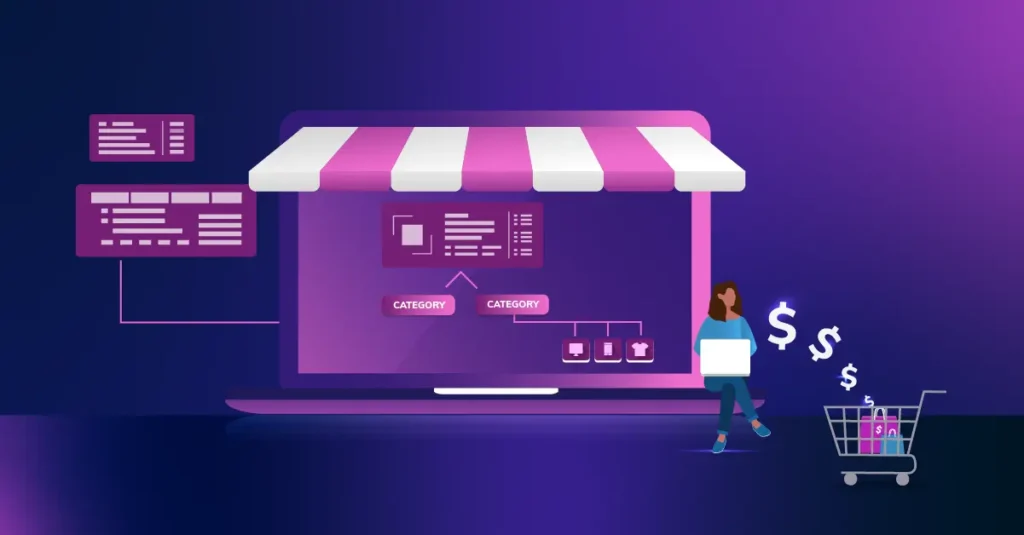
WooCommerce is not a static platform. Every time someone visits your store, views a product, adds something to their cart, or checks out, your server is actively processing data. It pulls information from the database, calculates totals, updates sessions, and runs scripts.
This constant interaction is what makes WooCommerce powerful but also what makes it heavy.
Over time, several things start increasing server load: too many plugins, large images, unoptimized databases, frequent background requests, and limited hosting resources. The more complex your store becomes, the more pressure it puts on your server.
Understanding this helps you realize that optimization isn’t optional, it’s essential.
Start with the Right Hosting Foundation
One of the biggest mistakes store owners make is trying to optimize everything while staying on weak hosting. If your server simply doesn’t have enough resources, no amount of tweaking will fully solve the problem.
Shared hosting, for example, means your site is competing with many others for CPU and memory. That’s fine for small blogs, but not for a growing WooCommerce store.
A better hosting setup gives you breathing room. Managed WordPress hosting or VPS solutions are designed to handle dynamic sites like WooCommerce. They often include built-in caching, better database handling, and scalability.
When your foundation is strong, everything else becomes easier to optimize.
Use Caching the Smart Way
Caching is one of the most effective ways to reduce server load because it prevents your server from doing the same work repeatedly.
Instead of generating a page from scratch every time, caching stores a ready-made version and delivers it instantly. This reduces processing time and improves speed significantly.
However, WooCommerce adds complexity here. Not every page can be cached. Cart, checkout, and account pages must remain dynamic so users always see real-time data.
The key is selective caching:
- Static pages like homepage and product listings should be cached
- Dynamic pages should always bypass cache
- Database queries can be cached using object caching
When configured properly, caching reduces a huge portion of unnecessary server work.
Optimize Images Without Compromising Quality
Images are essential in eCommerce, but they’re also one of the biggest contributors to slow performance.
Large, uncompressed images take longer to load and require more server resources to deliver. Multiply that by dozens of products and hundreds of visitors, and the impact becomes serious.
The goal is to reduce weight.
Compressing images, using modern formats like WebP, and enabling lazy loading can dramatically reduce server strain. Lazy loading is especially useful because it ensures images load only when users scroll to them, rather than all at once.
This makes your store feel faster while quietly reducing server load in the background.
Keep Your Plugin Stack Under Control
Plugins are powerful, but they’re also one of the most common causes of performance issues.
Each plugin adds its own scripts, database queries, and sometimes external requests. While one plugin might not make a big difference, ten or twenty definitely will.
The problem is not just quantity, it’s quality. Poorly coded plugins can slow down your entire store.
Instead of installing everything you might need, focus on what you actually use. Remove unused plugins, avoid overlapping functionality, and choose lightweight, well-supported options.
A cleaner plugin setup makes your store more stable and significantly reduces unnecessary processing.
Clean and Optimize Your Database
Your WooCommerce database grows constantly. Orders, customer data, sessions, logs, and revisions all build up over time.
If left unmanaged, this creates clutter. And clutter slows everything down.
When your database becomes bloated, every query takes longer. That means more server time spent retrieving information, which increases overall load.
Regular optimization helps prevent this. It involves removing expired data, cleaning up unused entries, and optimizing tables so they run efficiently.
This doesn’t just improve performance, it also makes your admin panel faster and easier to use.
Reduce Unnecessary Background Requests
Many WooCommerce features rely on background processes. For example, AJAX requests update the cart without reloading the page, which improves user experience.
But these requests can become excessive.
One common issue is cart fragments refreshing on every page, even when the cart isn’t being used. While this seems harmless, it creates constant communication with the server.
Limiting these background processes to where they’re actually needed can significantly reduce load. Your site will still feel dynamic but without unnecessary strain.
Use a Content Delivery Network (CDN)
A CDN helps distribute your content across multiple servers around the world. Instead of every request hitting your main server, users receive static content like images and scripts from the nearest location.
This reduces the number of requests your server has to handle directly.
For stores with international visitors or heavy media content, a CDN can make a noticeable difference. Pages load faster, and your server is free to focus on more important tasks like checkout and transactions.
It’s a simple concept with a big impact.
Optimize Your Theme and Front-End Code
Your theme affects performance more than you might think.
Some themes look impressive but come packed with unnecessary features, animations, and scripts. Even if you’re not using those features, they may still load in the background.
This adds weight to every page and increases server processing.
A well-optimized theme focuses on efficiency. It loads only what’s needed and avoids unnecessary complexity.
Improving front-end performance can also involve deferring non-essential scripts, minimizing CSS and JavaScript, and removing unused code. These changes reduce load time and lower server demand.
Control WordPress Heartbeat Activity
The WordPress Heartbeat API enables real-time updates, such as autosaving content and syncing data in the admin panel.
While useful, it can generate frequent requests to the server—especially if multiple users are working in the dashboard.
Reducing the frequency of these requests or limiting where they run can help conserve resources. It’s a small adjustment, but on busy sites, it can make a difference.
Implement Object Caching for Better Efficiency
As your store grows, database queries become more frequent and complex.
Object caching helps by storing the results of these queries so they don’t need to be repeated. Instead of asking the database the same question over and over, your server can reuse stored answers.
This reduces processing time and improves performance, especially during high traffic.
For larger WooCommerce stores, this step can significantly reduce server load and make the site more responsive.
Monitor Performance and Identify Bottlenecks
Optimization without monitoring is just guessing.
Performance tools allow you to see exactly what’s slowing down your store. It could be a specific plugin, a heavy page, or a database issue.
Once you identify the bottleneck, you can fix it directly instead of making random changes.
Monitoring also helps you track improvements over time and ensures your optimizations are actually working.
Keep Everything Updated and Maintained
It’s easy to ignore updates, but they play a key role in performance.
Developers constantly improve their code, fix inefficiencies, and optimize performance. Running outdated versions means missing out on these improvements.
Regular updates ensure your store runs on the most efficient version of WooCommerce, WordPress, and your plugins.
Maintenance is not a one-time task, it’s an ongoing process that keeps your store healthy.
Final Thoughts
Reducing server load in WooCommerce is not about cutting features or limiting your store’s potential. It’s about making smarter choices, like choosing the right hosting, optimizing resources, and eliminating unnecessary processes.
Every improvement, no matter how small, contributes to a faster and more stable store.
When your server isn’t overloaded, your website becomes smoother, your pages load faster, and your customers enjoy a better experience. And in eCommerce, that directly translates into higher conversions and stronger results.
If you approach optimization as a continuous process rather than a one-time fix, your WooCommerce store will be able to grow without performance holding it back.
Click here for more.