A privacy policy is an essential part of running a WordPress website. Whether you operate a blog, an online store, a business website, or a membership platform, you need to explain how your website collects, uses, stores, and shares personal information.
However, creating a privacy policy is only one part of website privacy management. Cookies, analytics tools, advertising pixels, contact forms, and third-party integrations can introduce additional compliance requirements. Depending on your audience and the laws that apply to your business, you may also need a cookie consent banner, automatic script blocking, and tools that record visitors’ consent choices.
WordPress privacy policy plugins can simplify these tasks, but their capabilities vary. Some focus on generating legal documents, while others provide comprehensive consent management and integrations with advertising platforms.
In this guide, we explore five WordPress privacy policy solutions worth considering in 2026, comparing their features, strengths, and ideal use cases.
1. My Agile Privacy® Review: A Google-Certified Cookie Consent Plugin for WordPress
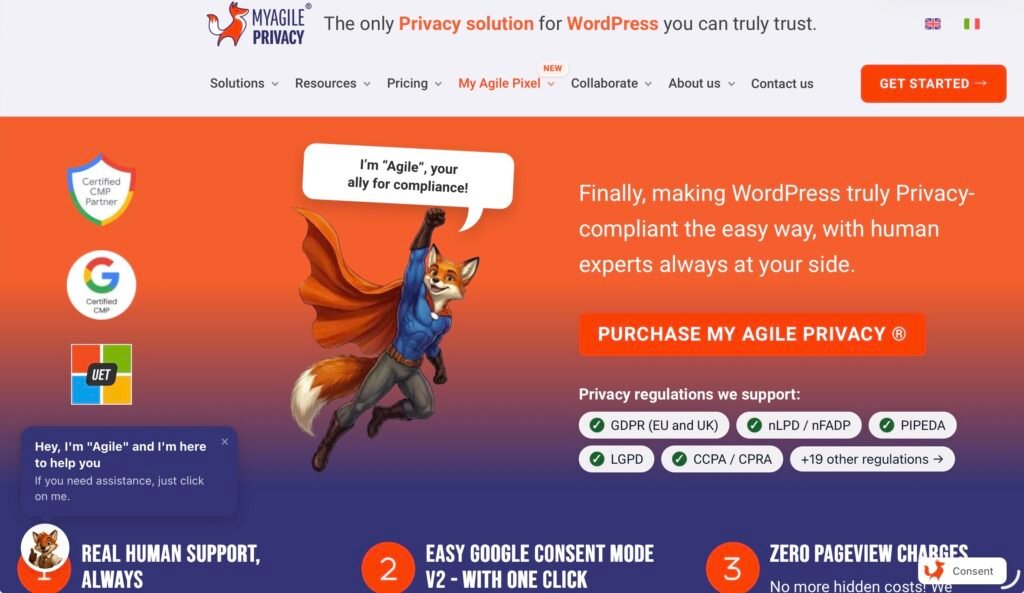
A cookie banner on a WordPress site that runs Google Ads, Google Analytics or Microsoft Ads has two jobs, not one. The first is compliance: no non-essential cookie before consent. The second is measurement: the banner must translate the visitor’s choice into the consent signals those platforms expect. Many banners stop at the first job. When they do, conversion tracking flattens, audiences shrink and remarketing stops, while the campaigns keep spending.
My Agile Privacy® is a consent management platform built for WordPress that does both. It blocks cookies and third-party scripts until the visitor says yes, generates the privacy and cookie policy, and speaks to Google Consent Mode v2 and Microsoft Consent Mode without asking you to write code. More than 7,000 active websites run it.
Here is what it does, what it costs as your traffic grows, and who it fits.
What is My Agile Privacy®?
My Agile Privacy® is a WordPress-native consent management platform (CMP) and a Google Certified CMP Partner. It lives in your WordPress dashboard: it scans the site, blocks cookies and scripts until consent, shows the banner, generates the policies and sends the consent signals to the platforms you use. No coding, no external tag configuration.
Automatic cookie blocking with Cookie Shield
The slowest part of cookie compliance is not the banner. It is finding every script that sets a cookie: analytics, pixels, embedded videos, chat widgets, maps, whatever the next plugin brings in.
Cookie Shield does that work. It scans the site, detects cookies and third-party scripts, and keeps everything blocked until the visitor consents. When you install a new plugin or embed a new service later, the scan keeps the blocking consistent: nothing slips through because nobody re-checked.
Setup takes minutes from the WordPress dashboard: install the plugin, run the scan, pick a banner layout, enable the integrations you need.
Google Consent Mode v2 and Microsoft Consent Mode, with or without Tag Manager
Since March 2024, Google requires advertisers in the EEA to send consent signals through Consent Mode v2 to keep personalization and remarketing features. Without those signals, conversion tracking and audience building in Google Ads are limited to modeling.
My Agile Privacy® enables Google Consent Mode v2 with one click, whether you load Google tags directly or through Google Tag Manager. The same click covers Microsoft UET Consent Mode for Microsoft Ads and Microsoft Clarity Consent Mode. The banner choice becomes the right signal for each platform, with no custom tag setup.
If you want the full picture of what Consent Mode v2 sends and when, the complete guide on Consent Mode v2 covers it step by step.
The certifications: Google CMP Partner, IAB TCF, Microsoft
Ad platforms check certifications before they trust a CMP’s signals, so they are not decoration. My Agile Privacy® holds three:
- Google Certified CMP Partner, listed among the CMPs Google accepts for serving ads to users in the EEA, the UK and Switzerland via AdSense, Ad Manager and AdMob.
- IAB Europe TCF registered CMP, compliant with the Transparency and Consent Framework used by publishers and ad tech vendors.
- Microsoft Consent Mode Partner, officially supported for Microsoft Ads and Clarity consent signals.
Each status is verifiable on the public lists that Google and IAB Europe maintain.
Privacy policy and cookie policy for 24 privacy laws, by visitor location
The plugin generates and keeps updated both the privacy policy and the cookie policy, based on the services actually running on the site. It covers 24 privacy regulations, including the GDPR, UK GDPR, CCPA/CPRA, LGPD and PIPEDA.
With geolocation-based consent, the banner adapts to where the visitor is. An EU visitor gets an opt-in banner that holds scripts until consent. A visitor from an opt-out region can get a different configuration. International sites no longer need one strict banner for everyone, which often lowers consent rates where strictness is not required.
Consent statistics and banner A/B testing
Most CMPs tell you nothing about how the banner performs. My Agile Privacy® ships with anonymous consent statistics: aggregated rates of accept, reject and dismiss, with no individual visitor tracking.
The A/B testing function puts two banner versions side by side and shows which one collects more valid consents. You test layout, wording or button placement, you keep the winner. Both versions must stay compliant, so what you optimize is clarity, never pressure.
Pricing: flat, and the renewal costs what the first year cost
Many CMPs bill by traffic, sessions or page count, so the invoice grows with the site. My Agile Privacy® does not. The price is flat, with no traffic-based fees, and the renewal costs exactly what the first purchase cost. No introductory discount that doubles in year two, no tier to climb when a page takes off. The plugin also comes with a 30-day refund window, so you can test it on a live site before committing.
Support made of people
Support is handled by people, not chatbots. When an integration does not fire as expected, you talk to someone who knows the plugin and can look at your configuration with you.
How to set up My Agile Privacy® on WordPress
- Install and activate the plugin from the WordPress dashboard.
- Let Cookie Shield detect the cookies and scripts on the site.
- Choose the banner layout, colors and texts.
- Enable Google Consent Mode v2 and the Microsoft integrations you use.
- Generate the privacy and cookie policies and publish them.
Who is My Agile Privacy® for?
WordPress sites that run Google or Microsoft advertising and analytics, serve visitors in more than one country, and want costs that stay predictable as traffic grows. Automatic script blocking, certified consent signals, policy generation and banner testing in one plugin, with human support behind it.
See the plans and start with My Agile Privacy®. A doubt about your specific setup? The contact form reaches real people who work on consent every day.
2. WP AutoTerms: Best for Straightforward Legal Documents
Best for: Bloggers, small businesses, and website owners who want to create essential legal pages directly in WordPress.
WP AutoTerms helps website owners create and manage legal documents without drafting every section from scratch. Its features include privacy policy generation, GDPR and CCPA-oriented policy wording, terms and conditions, and additional compliance tools.
The plugin is especially useful for businesses that need to establish a basic set of legal pages without investing in a more comprehensive consent management platform.
Key features
WP AutoTerms provides generators for privacy policies and terms and conditions, alongside tools for creating custom legal pages.
Its compliance kits can help website owners display links to legal documents, show notices when policies are updated, and configure cookie notices. The plugin also includes options for customizing the appearance of notices through colors, fonts, and custom CSS.
These features make it easier to integrate legal information into an existing website design.
The setup process is relatively straightforward: install the plugin, select the document you need, provide the requested information, and publish the resulting page.
Pros
- Privacy policy and terms and conditions generators.
- GDPR and CCPA-oriented wording.
- Customizable legal notices.
- Tools for linking to legal pages and displaying updates.
- A free version with additional premium features.
Cons
- It is primarily focused on legal documents and basic compliance tools.
- Websites with complex tracking setups may need additional consent management functionality.
- Generated policies still need to be reviewed and adapted to the website’s actual practices.
Pricing: The plugin offers a free version. Its official pricing page lists premium licenses with one-time pricing based on the number of websites covered. Check the current plans before purchasing.
Verdict: WP AutoTerms is a practical starting point for website owners who want to create essential legal pages quickly. It is particularly suitable for simpler websites that do not require extensive advertising integrations or advanced consent analytics.
3. Termly: Best for All-in-One Privacy Compliance
Best for: Small and medium-sized businesses that want policy generation, cookie consent, and privacy management in one solution.
Termly offers a WordPress plugin that connects website owners to its broader privacy compliance platform. Rather than focusing exclusively on privacy policy creation, it combines legal document generation with cookie consent management and visitor preference controls.
Key features
Termly supports the creation of privacy policies, cookie policies, terms and conditions, and other legal documents. Its policy generators use questionnaires to help businesses tailor documents to their websites and data practices.
The WordPress integration also provides a customizable cookie consent banner and preference center. Automatic cookie scanning helps identify tracking technologies, while script blocking can prevent supported non-essential scripts from loading before consent.
For international websites, Termly offers regional consent rules and multilingual functionality. Its tools are designed to help businesses adapt their privacy experience to different regulatory requirements.
Termly also supports Google Consent Mode v2 and the IAB Transparency and Consent Framework. Additional features include consent logs and mechanisms for handling certain data subject requests and opt-out requirements.
Pricing and limitations
Termly offers a free plan, but its limits matter. According to its WordPress product page, the free offering includes one legal policy and up to 10,000 cookie banner views per month. Businesses requiring more policies, higher limits, or advanced functionality may need a paid plan.
Pros
- Policy generators and cookie consent management in one platform.
- Automatic cookie scanning and supported script blocking.
- Google Consent Mode v2 integration.
- Regional rules and multilingual support.
- Consent logs and preference management.
Cons
- Advanced features may require a paid subscription.
- The free plan has policy and banner-view limitations.
- Some functionality is managed through Termly’s external platform rather than exclusively inside WordPress.
Verdict: Termly is a versatile choice for businesses that want to centralize legal documents and cookie consent management. It is particularly attractive to organizations serving international audiences or managing several privacy requirements.
4. WP Legal Pages: Best for Creating Multiple Legal Pages
Best for: Business websites, ecommerce stores, membership platforms, and publishers that need several types of legal documents.
WP Legal Pages is a WordPress plugin designed to simplify the creation of privacy policies, terms and conditions, cookie policies, disclaimers, and other legal documents.
Instead of drafting every page manually, website owners can select a template, answer relevant questions, and customize the generated content.
Key features
WP Legal Pages provides templates for a range of legal documents, including privacy policies, GDPR-related policies, CCPA-related disclosures, refund policies, and terms of use.
The plugin can automatically incorporate supported business and website information into templates, reducing repetitive data entry. Generated pages can then be edited through the WordPress editor.
It also offers cookie notice functionality, including customizable layouts and positioning. Depending on the version, users can access additional templates, popup options, and tools for restricting content until visitors accept specified terms.
This range of templates makes the plugin useful for websites that need more than a single privacy policy.
Pricing and limitations
WP Legal Pages offers a free version and a paid Pro version with additional templates and functionality. The exact features available depend on the version and current plan.
Its main strength is legal document creation rather than serving as a complete advertising-focused consent management platform. Website owners should evaluate its cookie consent capabilities against their specific needs, particularly if they rely on multiple tracking technologies.
Pros
- Multiple legal document templates.
- Editable content within WordPress.
- Support for privacy policies, terms, disclaimers, and refund policies.
- Cookie notice and popup functionality.
- Additional templates and features in the Pro version.
Cons
- Advanced functionality may require an upgrade.
- Template-based documents need customization.
- Complex consent signaling and advertising integrations may require separate tools.
Verdict: WP Legal Pages is worth considering if your website needs several legal documents and you want to create and manage them directly in WordPress. It is a useful option for businesses that prioritize document coverage and straightforward editing.
5. TermsFeed Privacy Policy Generator: Best for Customizing a Policy to Your Data Practices
Best for: Website owners and developers who want to understand their data collection practices and create tailored privacy documentation.
TermsFeed’s WordPress privacy policy guide explains why privacy policies are important and how data collection can occur through WordPress plugins and third-party services.
TermsFeed also provides a privacy policy generator and a WordPress integration called TermsFeed AutoTerms. The latter was previously known as WP AutoTerms, so it should not be treated as an entirely separate plugin from the second option in this list.
For this fifth entry, the focus is on TermsFeed’s policy-generation approach as an alternative for website owners who want to create documentation based on their actual data practices.
Key features
TermsFeed’s generator uses a questionnaire to collect information about a website, its business, and its data collection activities. Users can then generate a policy based on their answers.
This approach is useful because privacy documentation should reflect what a website actually does. A site using analytics, advertising pixels, contact forms, ecommerce integrations, or external services may need disclosures that a generic template does not adequately address.
TermsFeed’s guidance also highlights the difference between direct data collection, such as asking visitors to submit an email address, and indirect collection through third-party services such as analytics platforms.
For WordPress websites, this distinction matters because plugins can introduce data collection that the website owner might overlook.
The TermsFeed AutoTerms plugin can also generate legal pages through a questionnaire and provides compliance kits for certain notices and consent-related features.
Pros and limitations
Pros
- Questionnaire-based policy generation.
- Guidance on direct and third-party data collection.
- Support for several types of legal documents.
- WordPress integration through TermsFeed AutoTerms.
- Helpful educational resources for website owners.
Cons
- The standalone generator and the WordPress plugin are different ways of using the service.
- Policy generation alone does not automatically make a website compliant.
- More advanced consent requirements may require additional configuration or tools.
Verdict: TermsFeed is a useful option for website owners who want to understand their privacy obligations and create documentation around their specific data practices. If you choose the WordPress plugin, remember that TermsFeed AutoTerms is the current name of WP AutoTerms, rather than a completely separate product.
How to Choose the Best WordPress Privacy Policy Plugin
The right plugin depends on the type of website you operate, the data you collect, and how much automation you need.
Consider these factors before making a decision:
1. Policy generation: Look for a tool that supports the documents your website needs, including privacy policies, cookie policies, and terms and conditions.
2. Cookie consent: If your website uses non-essential tracking technologies, determine whether the plugin can scan for cookies, block relevant scripts before consent where required, and let visitors manage their preferences.
3. Advertising integrations: Businesses using Google Ads, Google Analytics, Microsoft Advertising, or similar platforms should check whether the plugin supports their required consent signals and integrations.
4. International coverage: If your audience spans multiple countries, consider geolocation-based consent settings, language support, and the privacy laws applicable to your business.
5. Pricing and scalability: Review policy limits, consent-banner views, licensing terms, and renewal costs. A free plugin may be enough for a small blog but less suitable for a growing ecommerce store.
6. Maintenance and support: Privacy laws and website integrations change. Choose a solution that is actively maintained and makes it practical to review and update policies as your business evolves.
Remember that no plugin automatically guarantees legal compliance. You remain responsible for ensuring that your policies accurately describe your practices and that your consent configuration meets the requirements that apply to your website.
Final Thoughts
The best WordPress privacy policy plugin in 2026 depends on whether you primarily need legal documents or a broader privacy management solution.
My Agile Privacy® stands out for businesses that combine privacy requirements with digital advertising and analytics. Its automatic script blocking, consent integrations, policy generation, and banner testing make it a strong choice for marketing-driven websites.
WP AutoTerms and WP Legal Pages are practical alternatives for creating and managing legal documents, while Termly offers a broader privacy compliance platform. TermsFeed is also useful for policy generation and understanding the data collection practices that should be disclosed.
Before installing any solution, audit your website’s forms, analytics, advertising tools, embedded content, and other integrations. Then choose a plugin that addresses those specific needs instead of relying on a generic policy alone.
Click here for more.