When it comes to building advanced filtering systems for WordPress websites, two plugins are often part of the conversation: FacetWP and Search & Filter. Both tools help users create dynamic filtering experiences for content-heavy websites, online stores, directories, portfolios, and custom post type archives.
But while FacetWP has been a long-standing option in the WordPress ecosystem, many website owners and developers are now looking for a FacetWP alternative that offers more flexibility, easier setup, modern integrations, and a smoother user experience.
That’s where Search & Filter comes in.
In this comparison, we’ll break down the differences between Search & Filter and FacetWP in 2026, including features, performance, integrations, ease of use, customization, and pricing, so you can decide which plugin is the better fit for your project.
What Is Search & Filter?
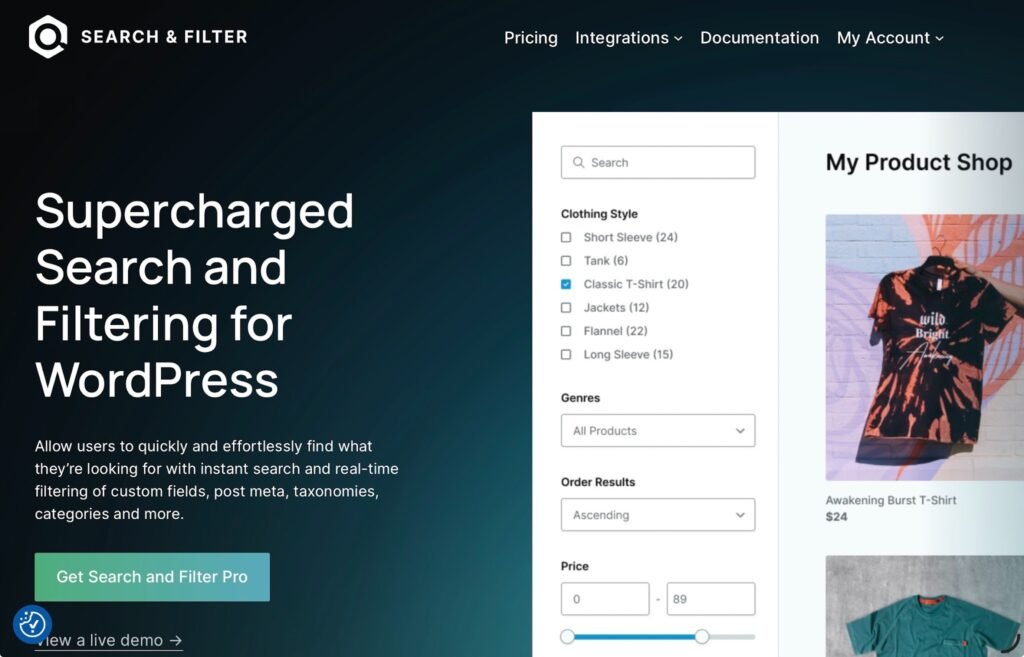
Search & Filter is a modern WordPress filtering plugin designed to help users create powerful AJAX-powered search and filtering systems without unnecessary complexity. It works with posts, pages, WooCommerce products, custom post types, taxonomies, custom fields, and more.
The plugin combines beginner-friendly usability with advanced functionality for developers. Whether you’re building a WooCommerce store, property listing website, recipe archive, directory, or large content library, Search & Filter provides the tools needed to create fast, intuitive filtering experiences.
One of its biggest strengths is its modern architecture. Search & Filter works natively with the WordPress block editor and includes over 20 dedicated filter blocks, including:
- Search fields
- Checkboxes and radio buttons
- Select dropdowns
- Range sliders
- Date pickers
- Sort controls
- Reset buttons
- Color pickers
- Toggle switches
- Button-style filters
The Pro version also includes a high-performance indexing engine and an advanced search engine that keeps filtering fast and relevant, even on websites with thousands of posts or products.
What Is FacetWP?
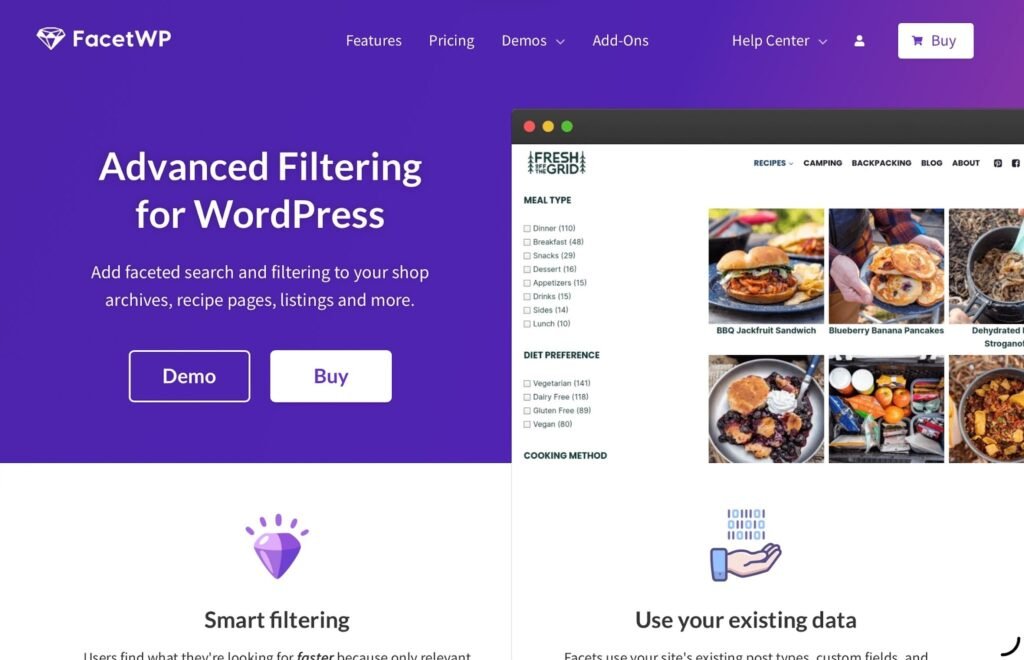
FacetWP is another popular WordPress filtering plugin that allows users to create faceted search interfaces for products, listings, blog posts, and custom content.
The plugin offers AJAX filtering, support for custom fields, and integrations with various WordPress themes and plugins. Developers often choose FacetWP for projects that require highly customized filtering implementations.
FacetWP provides 17 built-in facet types plus additional add-on facets, including features such as proximity search, geolocation filtering, and interactive map filtering.
However, depending on the project, some users find FacetWP more developer-oriented and less intuitive for beginners or content managers who want a simpler setup process.
Search & Filter vs FacetWP: Key Differences
1. Ease of Use
Search & Filter
Search & Filter is built with usability in mind. Because it integrates directly with the WordPress block editor, creating filters feels similar to building pages with Gutenberg.
Users can create filters for categories, tags, taxonomies, and custom fields by simply adding blocks and configuring settings through the familiar sidebar interface.
The plugin also includes a visual Styles Editor that allows users to customize colors, borders, shadows, spacing, and layouts without writing CSS.
For beginners, agencies, and content teams, this significantly reduces setup time and makes ongoing management easier.
FacetWP
FacetWP uses its own dedicated admin interface. Users create individual facets separately and then place them on pages using shortcodes or the Listing Builder.
Experienced developers often appreciate this flexibility, but beginners may encounter a steeper learning curve because the workflow differs from the standard WordPress editing experience.
2. AJAX Filtering Performance
Search & Filter
Modern websites require fast filtering experiences, especially ecommerce stores and large directories.
Search & Filter Pro includes a built-in indexing engine that pre-processes content data and creates optimised indexes. It uses separate indexing systems for different field types, making this faster than a generalised approach. It also includes a dedicated search indexer that enables fast fuzzy search. Rather than querying the database from scratch with every filter interaction, it retrieves results from pre-built indexes, helping maintain fast response times even on large websites.
This makes Search & Filter particularly well-suited for stores and directories containing thousands of products or posts.
FacetWP
FacetWP also uses a custom index table and AJAX filtering to deliver fast performance.
Both plugins take a similar approach by pre-indexing content rather than relying entirely on default WordPress queries. Search & Filter takes this a step further with specialised indexes tailored to different field types – for example, choice fields and range fields each have their own optimised indexing strategy. Performance is generally excellent on both platforms, although results may vary depending on the complexity of the filtering setup and dataset size.
3. WooCommerce Integration
Search & Filter
WooCommerce support is one of Search & Filter’s strongest areas because it integrates directly with all the different ways WooCommerce displays products – the shop page (both classic and FSE versions), the collections block and products shortcodes, and WooCommerce widgets in page builders like Elementor, Beaver Builder, and Bricks.
You can filter products by:
- Categories
- Tags
- Attributes
- Price
- Stock status
- On-sale status
- SKU
- Weight and dimensions
- Ratings
- Custom fields
- And more
The plugin also handles variable products intelligently – pricing and stock data are pulled from individual variations, taxonomy attributes are inherited from the parent product, and the parent-map system ensures that filtering by any variation attribute still returns the correct parent product in results. Custom fields from external plugins like ACF are also supported. This helps ensure customers always see accurate filtering results and product counts.
For stores with large inventories and multiple product attributes, Search & Filter makes product discovery significantly easier.
FacetWP
FacetWP also supports WooCommerce filtering and provides useful functionality for ecommerce projects, including support for product attributes and variable products.
However, depending on the theme or builder being used, additional setup or customization may occasionally be necessary.
4. Page Builder Compatibility
Search & Filter
One of the biggest reasons users look for FacetWP alternatives is modern builder compatibility.
Search & Filter offers dedicated integrations for many popular tools, including:
- Gutenberg
- Elementor
- Bricks
- Beaver Builder
- Divi
- GenerateBlocks
- WPML
- Polylang
- Advanced Custom Fields (ACF)
- Relevanssi
These integrations make it easier to incorporate filters into custom layouts, templates, and dynamic content workflows. And in the case of the block editor, you can build your fields and queries without leaving the editor.
This flexibility is especially valuable for agencies and freelancers building client websites.
FacetWP
FacetWP supports many page builders and themes through add-ons and integrations.
It also offers Breakdance integration, which Search & Filter does not currently provide.
However, because FacetWP primarily relies on shortcodes rather than native blocks, implementation often follows a different workflow.
5. Developer Flexibility
Search & Filter
Search & Filter offers a developer-friendly architecture while keeping the interface approachable.
Developers can customize:
- Queries
- Templates
- AJAX behavior
- Filtering logic
- Display settings
The plugin also includes a REST API with more than 30 endpoints for fields, queries, settings, styles, and WooCommerce data.
Its ACF integration is particularly powerful, supporting filtering inside repeater fields, groups, and flexible content layouts – not just top-level custom fields.
This makes Search & Filter especially useful for complex websites such as:
- Property directories
- Recipe websites
- Event listings
- Business directories
- Advanced content portals
FacetWP
FacetWP has traditionally been favored by developers because of its deep customization capabilities and extensive hook system.
For highly customized implementations, advanced developers may appreciate the granular level of control and WP-CLI support.
6. User Experience and Interface
Search & Filter

It emphasizes clean design and usability.
Search & Filter also includes a Styles Editor with full design control over your filter fields – colors, borders, margins, padding, and more – so you can customise the look of your filters without touching CSS or code.
Its wide range of filter input types – from checkboxes and radio buttons to range sliders, button-style filters, and date pickers – provide a flexible filtering experience without requiring third-party add-ons.
Because the plugin uses familiar WordPress workflows, creating filters and managing settings feels intuitive and organized.
For agencies and teams managing client websites, the simpler interface also makes handoff easier for content editors and site administrators. Search & Filter also includes import and export functionality, allowing agencies to save and reuse filter configurations across projects – a significant time-saver when managing multiple client sites.
FacetWP

FacetWP’s interface is functional and well-organized, but some users may find it more technical and less intuitive than modern block-editor-based workflows.
7. Learning Curve
Search & Filter
Because Search & Filter works directly within the WordPress block editor and offers visual configuration tools, the learning curve is relatively small.
Most users can build filtering systems quickly without needing extensive technical knowledge.
FacetWP
FacetWP introduces its own workflow and interface, resulting in a steeper learning curve for beginners.
However, its longer presence in the market means it benefits from extensive documentation and community resources.
8. Scalability
Search & Filter
Search & Filter is designed to scale efficiently across projects of all sizes.
Its indexing engine uses specialised indexes for different field types – choice filters, range filters, and search fields each have their own optimised indexing strategy – helping maintain fast performance at scale. This makes it a strong choice for:
- Large WooCommerce stores
- Directories
- Content-heavy publications
- Advanced custom post type projects
FacetWP
FacetWP also scales well and has been successfully implemented in many large WordPress projects.
However, advanced scalability often depends more heavily on developer optimization and indexing configuration.
Why Many Users Are Looking for a FacetWP Alternative
The WordPress ecosystem has evolved significantly in recent years.
Website owners now expect plugins to:
- Work seamlessly with page builders
- Integrate naturally with Gutenberg
- Provide modern interfaces
- Require less custom code
- Deliver faster setup experiences
- Support dynamic content workflows
- Integrate smoothly with WooCommerce
While FacetWP remains a powerful plugin, some users feel its workflow is more developer-centric than modern site owners and agencies prefer.
Search & Filter addresses these expectations by combining advanced filtering capabilities with a cleaner user experience, visual customization tools, and native WordPress integrations.
For agencies, freelancers, ecommerce stores, and content-heavy websites, this balance can save significant development time.
Which Plugin Is Better for WooCommerce?
If your primary focus is ecommerce, Search & Filter is often the stronger choice in 2026.
Its support for:
- Price filtering
- Stock status filtering
- On-sale products
- SKU filtering
- Weight and dimensions
- Product attributes
- Variable products
- AJAX filtering
- Fast indexed performance
makes it particularly well-suited for large product catalogs and advanced shopping experiences.
This is especially important for:
- Fashion stores
- Electronics stores
- Furniture websites
- Automotive catalogs
- Large inventories
- Multi-category ecommerce shops
A better filtering experience can directly improve usability, engagement, and conversions.
Pricing Comparison

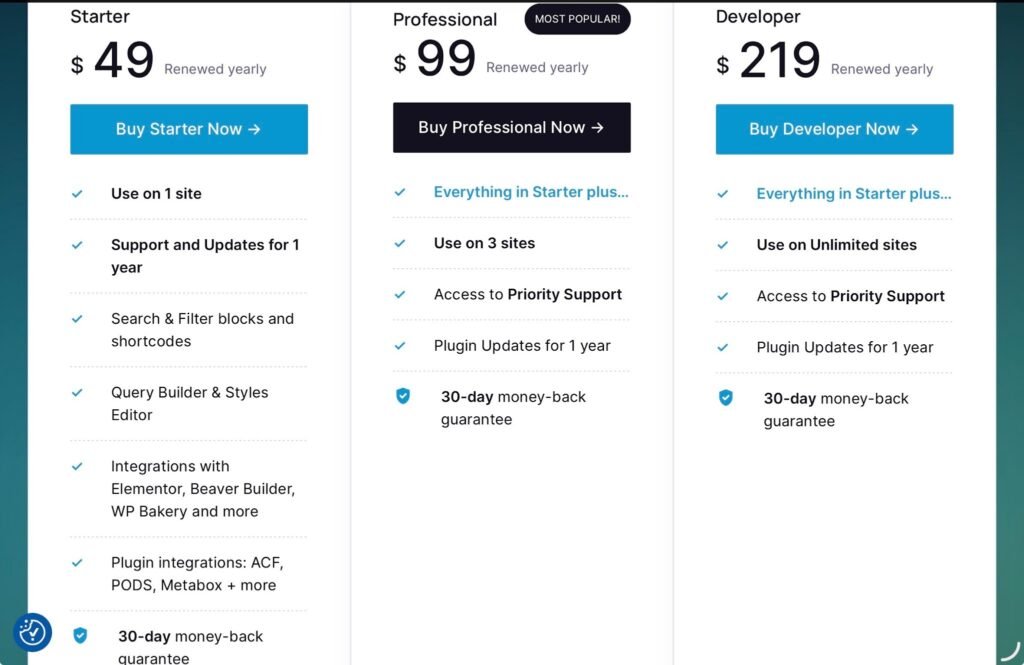
| Tier | Search & Filter | FacetWP |
| Entry | $49/year | $99/year |
| Mid-tier | $99/year | $249/year |
| Top tier | $219/year | $499/year |
| Free Version | Yes | No |
Search & Filter offers a free version of the plugin alongside a 30-day money-back guarantee on all Pro plans. FacetWP does not offer refunds, instead providing a limited free trial so users can test before committing. Combined with lower pricing at every tier, Search & Filter is the lower-risk choice for buyers.
Final Verdict: Is Search & Filter the Best FacetWP Alternative?
For many WordPress users in 2026, the answer is yes.
FacetWP remains a powerful plugin, particularly for developers who need proximity search, map filtering, or highly customized implementations.
However, Search & Filter stands out by offering:
- Native block editor integration
- Fast indexed performance
- Deep WooCommerce support
- Visual Styles Editor
- Unique filter input types
- Advanced ACF integration
- Modern page builder compatibility
- Beginner-friendly setup
- Lower pricing at every tier
Whether you’re building an ecommerce store, directory, portfolio, or content-heavy website, Search & Filter provides the flexibility, performance, and usability needed for modern WordPress projects.
As filtering and search experiences become increasingly important for user engagement, choosing the right plugin can make a major difference in how visitors interact with your website.
For users seeking a balance between power, ease of use, and modern WordPress compatibility, Search & Filter is one of the most compelling FacetWP alternatives available today.
Click here for more.