Online shoppers increasingly expect more than static product photos and standard dropdown menus. When purchasing customizable products, customers want to explore different materials, colors, sizes, components, and finishes before making a decision. For WooCommerce store owners, providing this experience can be challenging, particularly when products have dozens or even hundreds of possible combinations.
This is where MKL Product Configurator for WooCommerce comes in. It allows businesses to transform ordinary WooCommerce product pages into interactive product-building experiences, giving customers the ability to customize products and see their selections update in real time.
With both 2D and 3D configuration options, flexible customization tools, conditional logic, and integrations with WooCommerce products and pricing, the plugin aims to make selling complex and personalized products considerably easier.
In this review, we’ll explore its main features, how it works, its advantages and limitations, pricing, and the types of online stores that can benefit from using it.
What Is MKL Product Configurator for WooCommerce?
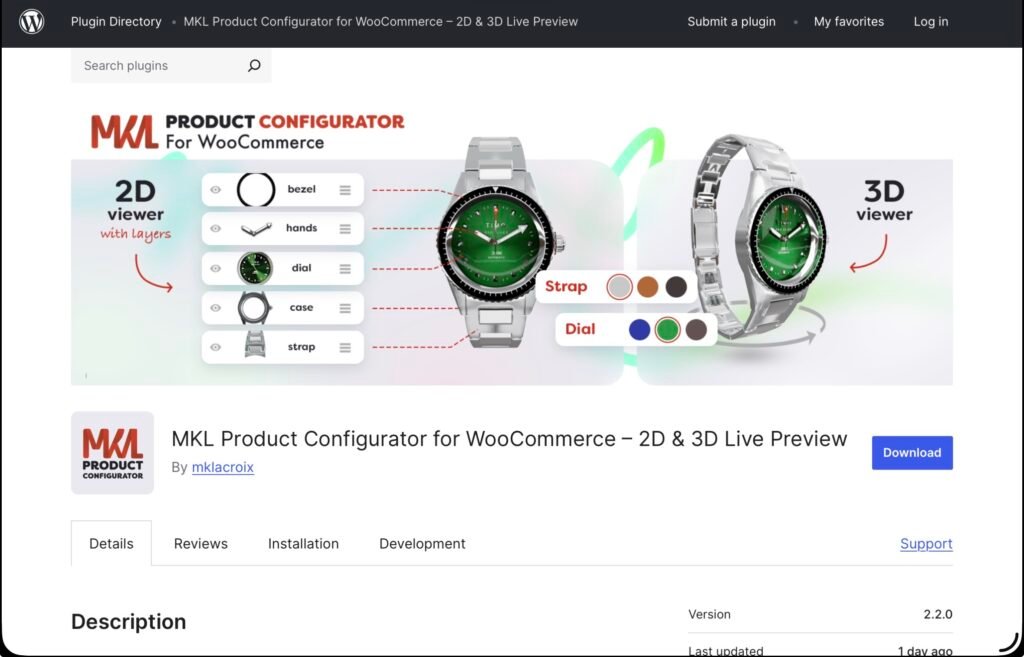
MKL Product Configurator for WooCommerce is a WordPress plugin that lets store owners create interactive product configurators directly within their WooCommerce stores. Instead of presenting customers with separate product variations, the plugin allows them to build their preferred version of a product through a visual interface.
Every selection updates the product preview, helping shoppers understand how their choices affect the final appearance. Depending on the product, the preview can use either layered 2D images or interactive 3D models.
For example, a furniture store could let customers choose a chair frame, upholstery material, and color. A watch retailer could offer different cases, straps, and dial designs. Rather than requiring a separate product listing for every combination, the store can present everything through one configurable product.
The plugin is suitable for businesses selling furniture, bicycles, jewelry, clothing, electronics, industrial equipment, and other products with multiple customization possibilities.
One particularly interesting aspect is that the core plugin is available for free through WordPress.org, including both 2D and 3D configurators. Additional functionality can be unlocked through separately purchased add-ons or premium bundles.
Key Features of MKL Product Configurator
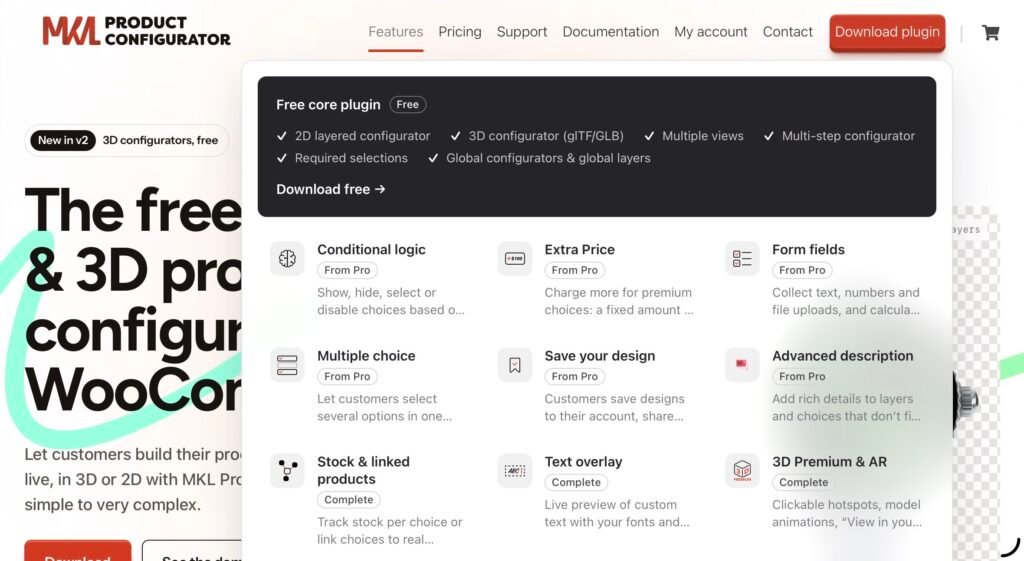
The plugin offers several tools for building product customization experiences. Let’s look at the features that make it particularly useful for WooCommerce stores.
1. Interactive 2D and 3D Product Configurators
The central feature is the ability to create visual product configurators in two different formats.
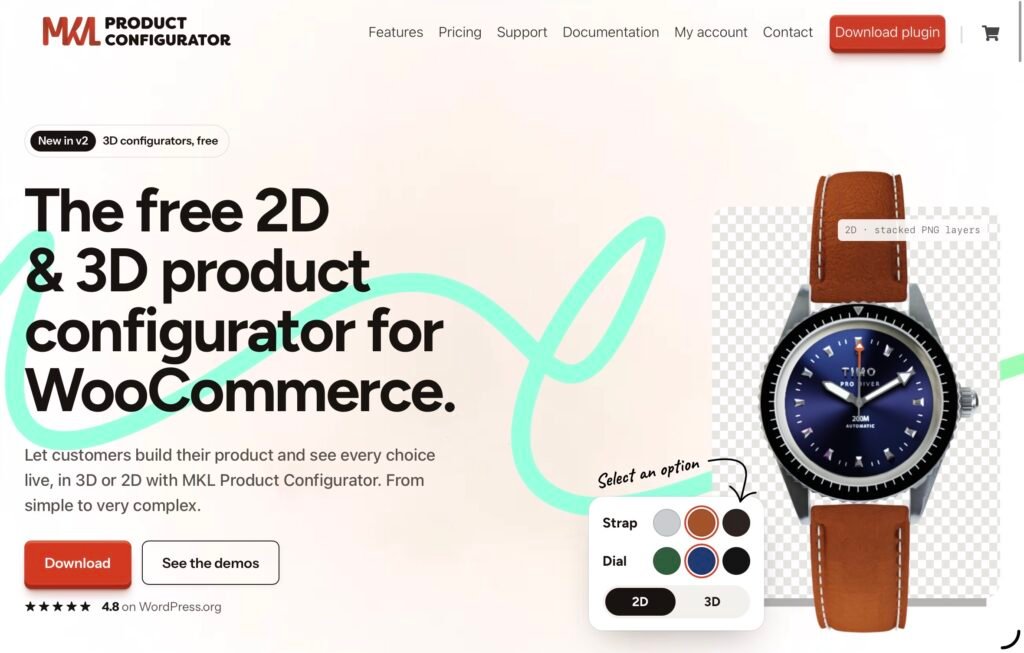
The 2D configurator uses transparent image layers, typically PNG files, that are stacked together to generate a combined product preview. Each layer represents a particular component or customization option. When customers select a different option, the corresponding layer changes, creating an updated product image.
This approach is particularly useful for products that can be represented through existing photography or rendered images. For example, a furniture retailer can prepare separate images for different fabrics, frames, and finishes without having to create a complete image for every possible combination.
The 3D configurator takes the experience further by using GLTF or GLB models. Customers can rotate and zoom in on the product while changing its components, materials, and colors. This makes it especially useful when the shape and appearance of a product from different angles matter.
Both approaches have their advantages. The 2D option is generally easier to implement when suitable images are already available, while 3D offers a more immersive experience for products that benefit from detailed visualization.
Importantly, businesses do not have to use 3D to benefit from the plugin. They can choose the configuration method that makes the most sense for their products.
2. Multiple Views
Some products cannot be adequately presented from a single angle. A chair, bicycle, or piece of equipment may have important details that customers need to inspect before purchasing.
The multiple views feature allows store owners to provide different perspectives of a configurable product. In 2D, these can include front, side, and back views. In 3D, customers can access saved camera perspectives.
This gives shoppers a better understanding of the product and helps them evaluate customization choices more confidently.
3. Multi-Step Configuration
Products with numerous customization options can quickly make a product page overwhelming. Presenting every available choice at once may confuse customers and make the purchasing process unnecessarily complicated.
MKL Product Configurator addresses this through multi-step configuration. Store owners can divide the customization process into separate stages, allowing customers to make decisions gradually.
For instance, someone ordering a customized bicycle could first select the frame, then choose the battery, followed by additional components and colors.
Required selections can also be configured to ensure customers complete essential steps before adding the product to their cart.
This is a practical feature for stores selling made-to-order products with several dependent choices.
4. Conditional Logic
Not every customization option should be available for every product combination. Certain components may only work with specific models, sizes, or materials.
Conditional logic allows store owners to control which options appear, disappear, become available, or are automatically selected depending on previous customer choices.
For example, if a customer selects a particular bicycle frame, the configurator can display only compatible components. Similarly, choosing a specific furniture model could determine which upholstery options are available.
The conditional logic add-on supports more advanced rules, including AND/OR conditions and nested logic. This makes it possible to create sophisticated configuration processes without presenting customers with irrelevant choices.
For businesses with extensive product catalogs, this can make a significant difference in usability and order accuracy.
5. Flexible Pricing and Extra Charges
Customization often affects the final price of a product. Premium materials, upgraded components, additional accessories, and personalized details may all come with extra costs.
The Extra Price add-on allows businesses to assign additional charges to individual configuration options. These can be fixed amounts or percentages of the original product price.
For more advanced requirements, form fields and pricing formulas can calculate costs based on customer input, such as dimensions or quantities.
This is particularly useful for businesses selling made-to-measure furniture, custom installations, industrial products, or other items where the final price depends on the customer’s specifications.
Rather than manually calculating every order, store owners can create pricing rules that update according to the selected configuration.
6. Form Fields and Custom Text
Some products require information beyond standard dropdown selections. Customers might need to enter measurements, provide instructions, upload reference files, or personalize an item with their own text.
The Form Fields add-on supports text inputs, numerical fields, and file uploads. Combined with additional pricing functionality, these inputs can also contribute to dynamic price calculations.
The Text Overlay add-on provides another level of personalization by allowing customers to preview their custom text directly on the product.
Businesses selling engraved jewelry, personalized gifts, embroidered clothing, and customized accessories can use this functionality to give customers a clearer idea of the finished product before placing an order.
7. Stock Management and Linked Products
Product customization can create additional inventory management challenges, especially when individual components have separate stock levels.
The Stock Management and Linked Products add-on helps address this issue. Store owners can manage inventory for individual configuration choices or connect those choices to existing WooCommerce products.
Linking a choice to a product is also how a shop sends a configuration to manufacturing. Each choice points at the product for that part, and those products are added to the order with the configuration. An export of the order then includes every part reference (the linked products’ SKUs), so production receives the full list of components for that configuration.
8. Save, Share, and Reuse Configurations
Another useful feature is the ability to save and share product designs through the relevant add-on.
Customers can save their configurations, return to them later, share designs, or download a PDF. Store owners can also create presets to make popular combinations easier to select.
On the administration side, global configurators and global layers help businesses reuse configuration setups across multiple products.
For example, if a furniture store offers the same fabric options across several chair models, it can create a shared layer instead of configuring those options repeatedly. Changes can then be applied across products using that shared configuration.
This can save considerable time for stores managing large catalogs.
How Easy Is MKL Product Configurator to Use?
Despite its extensive functionality, the plugin is designed to be managed through a visual editor in the WordPress administration area. Store owners can create configurators, organize layers, define available choices, and adjust settings without having to build the entire experience from scratch.
The documentation provides guides for getting started, working with the editor, configuring 3D models, using themes, and managing global layers and configurators.
There are also developer resources covering hooks, filters, PHP helpers, and the 3D runtime API. This is useful for businesses that need to adapt the configurator to more specific requirements or integrate it into a customized WooCommerce setup.
Another helpful resource is the collection of live demos. Rather than relying exclusively on feature descriptions, prospective users can explore different examples, including customized furniture, watches, shoes, tables, and other products.
The demos also provide an opportunity to understand how different configuration setups work in practice.
For anyone considering the plugin, exploring these examples before installation is a good way to determine whether its interface and capabilities match their store’s requirements.
Click here for more.