As online shopping becomes more competitive, businesses are constantly looking for new ways to improve customer experience and increase engagement. One of the biggest trends in eCommerce today is product personalization. Customers want the ability to customize products before purchasing, whether it is selecting colors, materials, sizes, accessories, or even viewing products in 3D. This is where the WCB Configurator Builder plugin for WordPress and WooCommerce becomes highly relevant.
WCB Configurator Builder is designed to help businesses create advanced product configurators directly within WordPress. Instead of relying on static product pages, the plugin allows store owners to build interactive customization experiences where customers can visually configure products in real time. After exploring the plugin and its features, it becomes clear that WCB Configurator Builder is focused on delivering flexibility, visual engagement, and a more modern shopping experience.
Easy-to-Use Interface
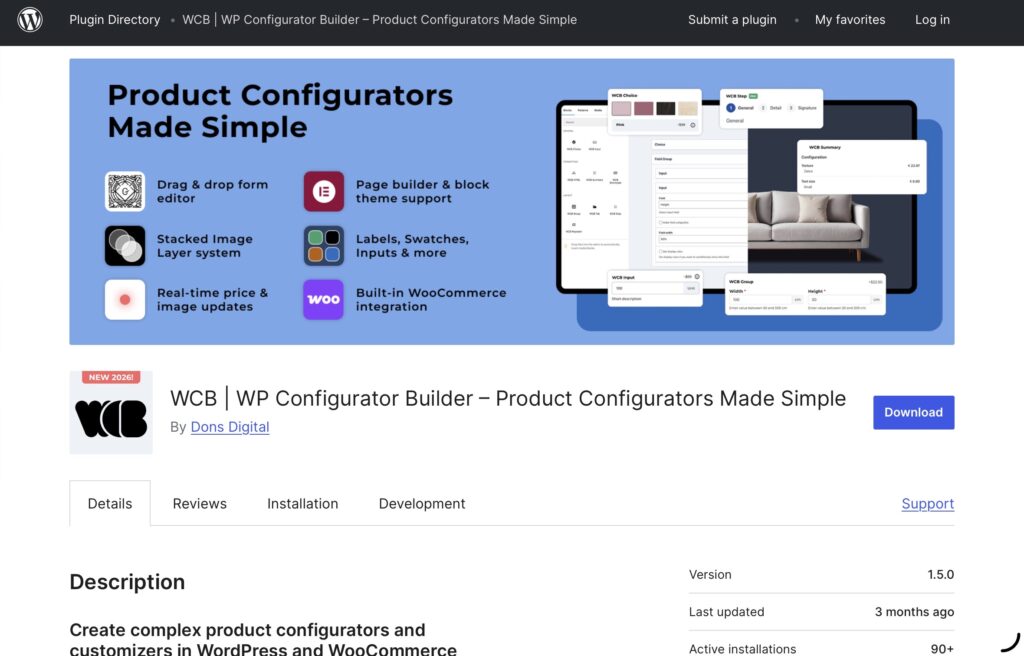
One of the strongest aspects of WCB Configurator Builder is its accessibility. Product configurators are often associated with complicated setups and technical development, but this plugin takes a more user-friendly approach. The interface is integrated directly into the WordPress dashboard and uses a drag-and-drop style builder that feels intuitive even for non-developers.
Store owners can create configuration steps, add customization options, and organize product flows without needing extensive coding knowledge. This is particularly useful for small and medium-sized businesses that want advanced customization features without investing in expensive custom-built systems.
The setup process feels organized, and the plugin avoids the cluttered interfaces that many configurator tools suffer from. While advanced projects may still require experimentation and planning, the overall learning curve is manageable compared to many competing solutions.
Real-Time Product Visualization
The most impressive feature of WCB Configurator Builder is its real-time visual product rendering. As customers choose product options, the product preview updates instantly. This creates a far more interactive experience than standard WooCommerce variation selectors.
Instead of imagining how a product will look after customization, users can immediately see the changes on screen. This visual feedback can significantly improve customer confidence and reduce uncertainty during the buying process.
The plugin supports layered image rendering using transparent PNG layers, which allows businesses to create thousands of product combinations dynamically. For example, a furniture store could let customers switch between fabrics, colors, frames, and accessories while seeing every change update live. The same approach works well for apparel, electronics, automotive products, and personalized merchandise.
This layered image system is one of the plugin’s most practical strengths because it reduces the need for manually creating endless variation images.
Advanced 3D Product Configuration
Another standout feature is the plugin’s support for 3D product visualization. WCB Configurator Builder allows businesses to use GLB 3D models for interactive product previews, bringing a more immersive experience to WooCommerce stores.
Customers can rotate products, inspect them from multiple angles, and interact with customized designs in real time. For industries such as furniture, automotive, architecture, and manufacturing, this feature can make product customization far more engaging.
The 3D support feels like a serious feature rather than a simple visual gimmick. As online shopping increasingly moves toward immersive and interactive experiences, having 3D functionality built directly into a WordPress configurator plugin gives businesses a significant advantage.
WooCommerce Integration
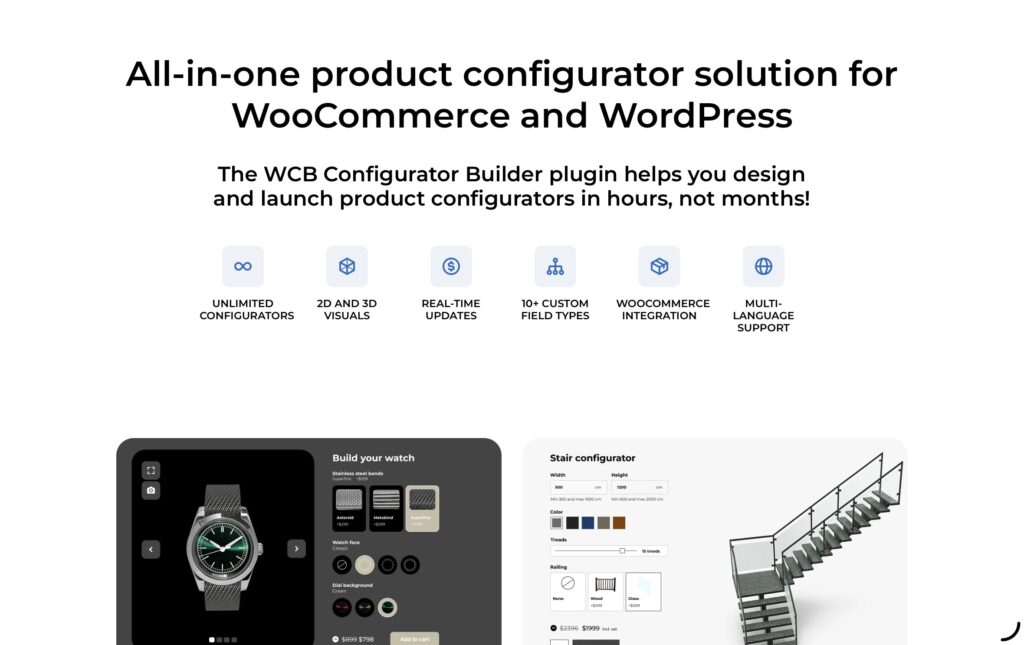
WCB Configurator Builder integrates smoothly with WooCommerce, which is essential for maintaining a consistent shopping experience. Customized products can move through the normal WooCommerce purchasing process without major complications.
Configuration details appear in the shopping cart, checkout page, and order summaries, allowing customers and store owners to clearly view selected options. This seamless integration helps avoid the disconnected workflows that some configurator plugins create.
The plugin also supports compatibility with various WooCommerce product types and pricing structures, making it flexible enough for stores with more advanced product catalogs.
Dynamic Pricing System
Pricing flexibility is another area where WCB performs well. The plugin supports dynamic pricing rules that update instantly as customers configure products. This creates a transparent pricing experience and allows users to understand how their selections affect the final cost.
For businesses selling customizable or made-to-order products, this functionality is extremely important. Instead of forcing customers to request pricing manually or navigate confusing price charts, the configurator provides immediate cost updates during the customization process.
This feature works especially well for products that include optional add-ons, premium materials, custom dimensions, or modular components.
Multi-Step Guided Customization
Complex product customization can quickly overwhelm customers if too many choices appear at once. WCB addresses this issue through multi-step configurator functionality.
Businesses can create guided product-building experiences where customers move through customization step by step. This creates a cleaner and more organized workflow while reducing confusion.
The multi-step approach also improves the overall user experience by helping customers focus on one decision at a time. For complicated products with many options, this structure feels significantly more manageable than displaying all settings on a single page.
Quote Requests and Lead Generation
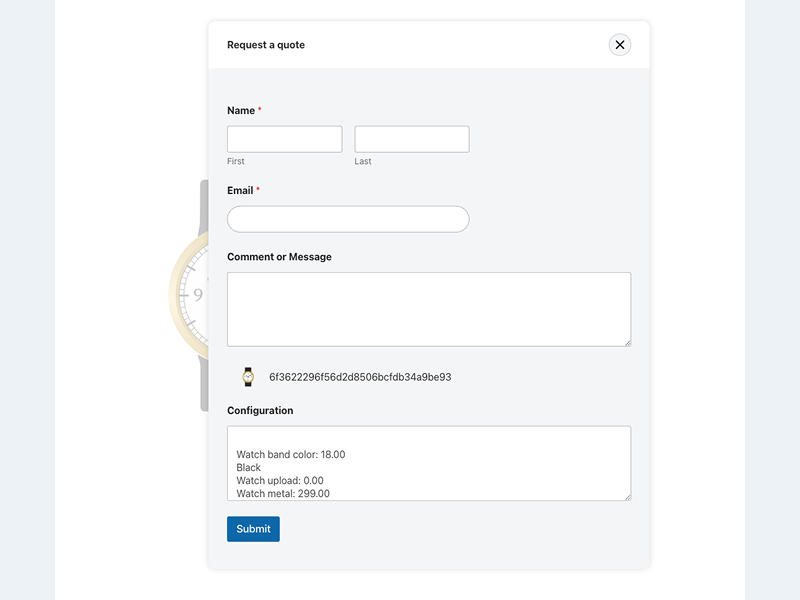
Not every business operates with instant online purchases. Some industries rely heavily on quotations, consultations, or custom manufacturing workflows. WCB Configurator Builder includes support for quote request functionality that expands its usefulness beyond traditional eCommerce.
Instead of immediately adding products to the cart, businesses can allow users to submit customized configurations as quote requests. This is particularly useful for B2B companies or businesses handling large custom orders.
The plugin integrates with popular WordPress form plugins, making it easier to capture leads and customer inquiries directly from the configurator.
Design and Styling Flexibility
WCB Configurator Builder provides strong design customization options, allowing businesses to adjust the appearance of their configurators to match their brand identity.
Users can modify layouts, colors, typography, buttons, spacing, and navigation elements without major difficulty. This helps ensure the configurator feels like a natural part of the website rather than a disconnected third-party tool.
For developers, additional customization options such as custom CSS and hooks provide deeper control over functionality and styling.
Performance and Overall Experience
Performance is often a concern with advanced configurator plugins, especially when using high-resolution images or 3D models. WCB appears reasonably optimized for modern WordPress environments, although performance will naturally depend on hosting quality and media optimization.
In general, the plugin feels responsive and modern. Navigation is smooth, and the configurator experience feels professional rather than experimental. The combination of visual customization, real-time updates, and WooCommerce compatibility creates a polished user experience overall.
However, businesses planning highly advanced configuration systems may still need time to properly organize product logic and media assets. While the plugin simplifies much of the process, sophisticated configurators still require careful planning to achieve the best results.
Final Verdict
WCB Configurator Builder is an impressive WooCommerce product configurator plugin that successfully combines accessibility with advanced functionality. It provides businesses with the tools needed to create interactive product customization experiences without relying entirely on custom development.
Its strongest features include real-time visual rendering, layered image support, 3D product visualization, dynamic pricing, and guided multi-step workflows. These features make the plugin especially valuable for businesses selling customizable, modular, or made-to-order products.
While beginners may need some time to fully understand advanced configurations, the plugin’s interface remains significantly more approachable than many enterprise-level alternatives. For WooCommerce store owners looking to improve personalization and customer engagement, WCB Configurator Builder offers a flexible and modern solution that stands out within the WordPress ecosystem.
Click here for more.