WordPress currently powers nearly half of the entire internet. This massive market share has created a booming ecosystem for plugin developers. However, this same popularity has also created unprecedented competition. If a user needs a caching solution, a form builder, or a security scanner, they have dozens of highly rated options to choose from at any given moment. In this oversaturated market, the deciding factor between a plugin that thrives and a plugin that fails is rarely the feature set. The true differentiator is the user experience and the quality of customer support and documentation.
For years, the default strategy for WordPress developers has been to write extensive text-based documentation. Whenever a user gets confused, the standard response is simply to share a link to a knowledge base article. This strategy is completely broken. Static documentation is no longer sufficient to support modern software users.
If you want to reduce your support burden, lower your user churn rate, and generate better reviews on the WordPress repository, you must evolve past the traditional knowledge base. This guide explores the severe limitations of static documentation and reveals how plugin teams can shift toward contextual, interactive support to drive sustainable growth.
The Fatal Flaws of Traditional Plugin Documentation
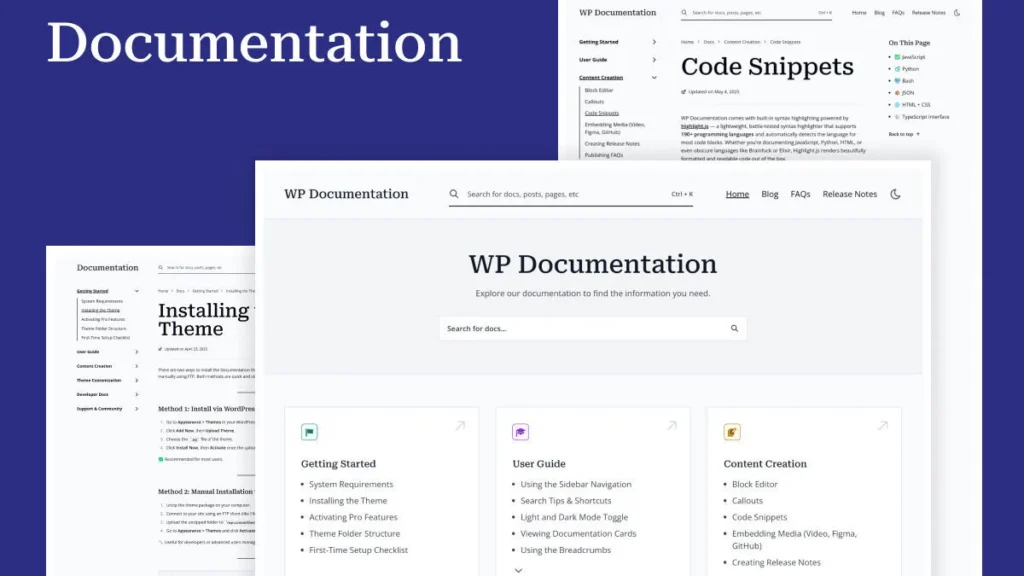
Writing a comprehensive manual feels like a productive task. You spend weeks taking screenshots, formatting text, and organizing categories. Unfortunately, the vast majority of your users will never read it. Relying on a traditional knowledge base introduces three massive friction points into the user journey.
The Context Switch
When a user installs your plugin, they are actively working inside their WordPress administrative dashboard. If they do not understand how to configure a specific setting, they have to open a new tab, navigate to your external website, search your knowledge base, and attempt to read through a long article. This is known as a context switch. It completely disrupts their workflow. Every time you force a user to leave their dashboard to find an answer, you increase the likelihood that they will simply deactivate your plugin and look for an easier alternative.
The Wall of Text Problem
WordPress users range from highly experienced web developers to small business owners who have zero technical background. When a non-technical user encounters a massive wall of text detailing complex server configurations or API integrations, they immediately feel overwhelmed. Static text is terrible at conveying spatial relationships or user interface navigation. Telling a user to “click the advanced tab, locate the webhook URL field, and paste your API key” is far less effective than simply showing them how to do it.
The Maintenance Nightmare
Software is never static. You are constantly releasing updates, tweaking the user interface, and adding new features. Every single time you push an update to your WordPress plugin, your existing documentation instantly begins to rot. Keeping hundreds of screenshots and text instructions perfectly updated requires a massive amount of ongoing administrative work. When a user reads an article that references a button that no longer exists in your current layout, their trust in your product completely evaporates.
How Static Docs Sabotage Your Growth
The flaws of static documentation do not just frustrate your users. They actively sabotage the financial growth and reputation of your plugin business.
The Support Ticket Avalanche
When documentation is hard to navigate or difficult to understand, users bypass it entirely. They will submit a support ticket instead. Responding to basic setup questions consumes an incredible amount of your team’s time and resources. Every hour your developers spend answering repetitive questions is an hour they cannot spend building new revenue-generating features.
The Churn and Refund Cycle
The first five minutes after a user activates your plugin are critical. This is the onboarding window. If they cannot achieve their desired outcome within this narrow window, they will abandon the product. For premium plugins, this onboarding friction leads directly to refund requests. You lose the sale not because your code is bad, but because your text-heavy setup guide failed to guide them properly.
The Review Graveyard
The WordPress plugin repository is incredibly unforgiving. Users are far more likely to leave a one-star review out of frustration than they are to leave a five-star review out of gratitude. A quick glance at the lowest-rated reviews for major plugins reveals a common theme. Users rarely complain about the underlying code. They complain that the plugin is “impossible to set up” or “too confusing to use.” Poor documentation directly fuels negative public sentiment, which crushes your organic acquisition.
The Shift to Interactive and Contextual Enablement
To solve this crisis, plugin developers must completely change their approach to user education. You must shift from telling users what to do to actively showing them how to do it. This transition is known as contextual enablement.
Contextual enablement means providing the exact right amount of help, at the exact right time, directly inside the WordPress interface. Instead of forcing users to hunt for answers on a separate website, you bring the answers to them.
The core philosophy here is interactivity. Modern users do not want to read manuals. They want to click, explore, and learn by doing. According to the Supademo’s State of Interactive Demos report, users engage far more deeply with interactive content than they do with static text or passive video. By allowing users to guide themselves through a simulated process, you drastically improve their comprehension and retention.
When you replace a boring setup article with an interactive experience, you reduce cognitive load. The user does not have to translate your written instructions into physical clicks. They simply follow the visual prompts on their screen.
Actionable Alternatives to the Traditional Knowledge Base
Transitioning away from a pure reliance on static documentation does not mean deleting your knowledge base entirely. It means moving your primary support strategy toward dynamic, embedded solutions. Here are three powerful tools you should use instead of plain text.
1. Interactive Product Tours and Demos
The absolute best way to explain a complex WordPress plugin is to let the user click through it safely. Interactive product tours allow you to create a clone of your software interface. You can then add tooltips, hotspots, and guided prompts that lead the user through a specific workflow.
For example, if you build an SEO plugin, you can create an interactive demo showing exactly how to optimize a blog post. The user can click the buttons in the demo environment without worrying about breaking their actual live website. You can embed these interactive walkthroughs directly into your welcome page within the WordPress dashboard or use them heavily in your pre-sales marketing to show prospects exactly how easy your tool is to use.
2. Contextual Tooltips and Inline Help
Never assume your users understand your technical jargon. What makes perfect sense to a developer might look like a foreign language to a bakery owner trying to set up an online store.
Instead of explaining every single setting in a separate document, use inline tooltips directly next to the complex fields within your plugin settings page. A simple question mark icon that reveals a brief, helpful explanation when hovered over can prevent thousands of support tickets. If a setting requires a longer explanation, use a dynamic slide-out panel that keeps the user on the same page while they read the instructions. This preserves their context and keeps them focused on completing the task.
3. Proactive Feedback and Bug Reporting Loops
Sometimes users struggle because your interface is genuinely confusing, not because they failed to read the instructions. To improve your product, you need to capture their feedback exactly when they experience friction.
If a user gets stuck configuring a payment gateway in your plugin, do not wait for them to angrily navigate to the WordPress repository to leave a bad review. Embed a support mechanism directly into the settings page. While you can certainly collect this data using a free tool like Google Forms, basic options lack the professional polish required for premium software. If you want to utilize conditional logic to dynamically change the questions based on the user’s previous answers, you can utilize secure but inexpensive form builders like Youform to create a structured, native feedback loop.
By placing a simple “Need Help?” button directly inside your plugin interface that triggers a clean, categorized form, you actively prompt the user to provide specific details about their issue. You can structure the form to automatically ask for their WordPress version, their active theme, and the exact step they are stuck on. This organized approach ensures your support team has all the necessary context to solve the problem immediately, completely bypassing the frustrating back-and-forth emails that plague traditional support channels.
Implementing Your Upgraded Support Strategy
Upgrading your support infrastructure does not have to happen overnight. You can implement these changes incrementally to immediately begin reducing your ticket volume.
Start by identifying your most common support requests. Look at the top ten questions your team answers every single week. Instead of rewriting the documentation for these specific issues, build an interactive demo or add contextual inline tooltips directly to those specific settings within your plugin.
Next, review your onboarding sequence. When a user activates your plugin for the very first time, what do they see? If they see a blank settings page, you are setting them up for failure. Implement a visual setup wizard that guides them through the top three essential configurations needed to get the plugin functioning.
Finally, audit your error messages. Generic alerts like “Save Failed” are useless and heavily contribute to user frustration. Update your error states to be highly descriptive. Explain exactly why the action failed and provide an immediate, clickable solution to fix the problem right then and there.
Conclusion
The WordPress ecosystem is maturing. Users expect enterprise-level software experiences, even from free or low-cost plugins. Continuing to rely on static, text-heavy documentation is a guaranteed way to fall behind your competitors.
Your documentation should be the absolute last resort for a confused user, not the first line of defense. By shifting your strategy toward contextual enablement, interactive product tours, and proactive native feedback loops, you transform your support structure from a massive financial liability into a powerful growth engine. When you make your WordPress plugin effortlessly easy to use, your users will reward you with long-term loyalty, recurring subscription renewals, and the glowing five-star reviews your business needs to thrive.
Click here for more insightful articles.