WordPress plugin developers it is time to rank WordPress plugin higher.
Your plugin has low installs, weak keyword usage, poor listing optimization and low engagement signals?
Read further to find the WordPress plugin optimization tips and plugin growth strategies.
Why Rank WordPress Plugin Higher Matters
It is an undeniable fact that visibility on WordPress.org is everything. More visibility is equal to more installs, more reviews, stronger trust, and an ultimate growth. But let’s not forget that on WordPress there are over 100,000 plugins competing for attention. Hence ranking higher in WordPress.org search from now on is a strategic necessity, not a luxury.
The good news? Ranking higher on WP.org can be influenced and significantly improved by your plugin’s visibility with smart, consistent optimization. High ranking will significantly impact your plugin’s visibility and success.
So let’s get further and find out the exact steps you should take to rank your WordPress plugin higher on WordPress.
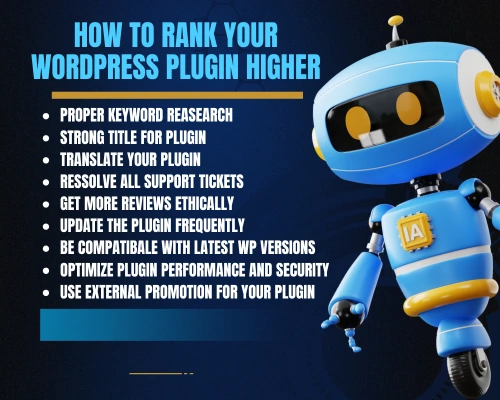
WP.org Keyword Research or The Foundation of Plugin SEO
One of the most important and impactful steps to take to improve WordPress plugin visibility is making proper keyword research. This step often stays unmaintained, but it is the foundation of plugin discoverability. It is important to make search engines match a user’s search query with the keywords to recommend the plugin that the most closely matches.
There are 2 main questions to find the answers to; “where to find keywords” and most importantly “where to place your keywords”.
First, where to find keywords?
Predominantly you will need to find out what users are searching for, and insert those words or phrases on your plugin descriptions, posts etc. To make a proper research start with WordPress.org search suggestions. Find and pay attention to related and competing plugins, search for plugin tags from top competitors. And last but not least, do not forget about the user pain points listed in reviews. Also, there are tons of WordPress keywords research tools which you can use to find SEO-optimized keywords.
Now, Where to Place Your Keywords?
Once you have picked out these keywords, it is time to correctly use them. Use them in your plugin name, first sentence of short description, first paragraph of the long description, headings/headers, and tags section. Also, to make search engines recognise your plugin better you can use secondary keywords as well throughout the descriptions and posts. Keep your keywords usage more natural and avoid overusing them as this will damage your SEO.
Hence, a well-optimised plugin speaks the same language as its customers, so to speak.
Title Your Plugin and Rank WordPress Plugin Higher
One of the plugin ranking factors WordPress.org has is the plugin’s title even more than the slug. This is the key point where you can constantly boost your search visibility. When giving a title to your plugin you should take your time and make a proper keyword research and pay attention to your competitors as well. The first phase of the search algorithm is your WordPress plugin’s title. Therefore, be assured that your top 2-3 keywords are included in your title.
One more thing to mention is that it‘s a big SEO mistake when plugin developers often consider that the brand of the product can be set as a title. There are WP plugin main practices you should consider before giving it a title: include the main keyword, add a short value-driven phase, avoid keyword stuffing, make it readable and trustworthy.
For example, there’s a very well-recognised WordPress quiz maker plugin, titled “Quiz Maker”. One of the reasons it is ranked 1st when searching for “quiz maker” is because of the clear, simple, and straightforward title with a strong keyword included.
Rank WordPress Plugin Higher by Translating Your Plugin
The translation of your plugin is also one of the WordPress plugin optimization tips. Translation provides your plugin with accessibility and WordPress.org plugin ranking. For example, when searching in a non-English version of WordPress.org or within a non-English WP Admin, the algorithm deliberation will show results based on the provided translation of that plugin to that language. Thus, translations from now on are more important than ever to make your plugin recognisable and accessible worldwide.
Resolve Support Tickets and Rank WordPress Plugin Higher
One more step towards an excellent WordPress plugin marketing is support responsiveness, it directly affects plugin ranking and user trust. Please note, that the amount of resolved support tickets on WordPress.org is now a part of the search algorithm. Always pay attention to your plugin’s support system. Respond to tickets within 24-48 hours and mark issues as resolved and remember to keep your “Resolved” percentage high. You can create FAQ sections and documentation and add a clear support link inside the plugin to always get active support signals which qualify the WP.org algorithm.
Do Not Forget to Get More Reviews Ethically
It is a fact, before purchasing any product all of the consumers pay attention to the reviews. So, reviews are one of the strongest ranking signals. Therefore, it is principal to get reviews of your plugin but make it in an ethical way.
So, how to encourage reviews ethically?
- You can add an in-dashboard rate request after value is delivered.
- Do not forget to ask politely on your support page once an issue is resolved.
- Insert a review link in the footer of documentation
- Please note to avoid incentives this is against WP.org rules
Remember, more good reviews equals to better ranking and conversions.
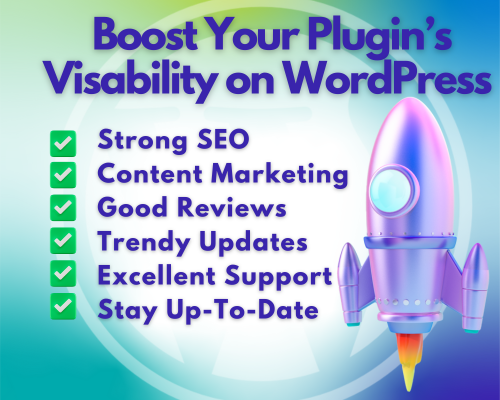
Updating Frequency On Your Plugin Matters
Your WordPress plugin’s last update date makes a difference on its rankings. It is important to update the plugin at least every six months. Otherwise, you’ll be penalised if the plugin hasn’t been updated in the last 180 days.
What counts as meaningful updates?
- Compatibility Updates
- Added “trendy” New Features
- Bug Fixes,
- UI Improvements
- Security Patches.
Update frequency is a vital ranking signal. Update every 4-8 weeks and achieve higher rankings, better retention and gain your customer’s trust.
Compatibility with Latest WordPress Versions is Important
It is important to always keep your plugin suits with the latest WordPress versions as it counts on search rankings.
For instance, if your plugin is tested on the WP version 6.8.0 and the latest release is 6.8.3, your plugin will not be penalized. But, if your plugin has been supported only up to 6.4.x WP version, as a result you will get a lower ranking score. Therefore, always keep your plugin up-to-date. Test your WP tool before every release (even minor releases) and do not forget to keep the “Version” field in WordPress.org the latest.
Always Optimize Plugin Performance and Security
One more essential point to pay attention to is your plugin’s optimized performance and security. It is necessary to assure your users that the security is at its highest while using your plugin. The WordPress platform always prioritizes and boosts the lightweight, clean, and secure plugins.
That is why always be assured, that your plugin:
- Effortlessly passes the WordPress plugin scanner
- Evades unnecessary scripts
- Does not load assets on every page
- Always follows WordPress coding standards
- Has no security vulnerabilities
Performance is both your plugin’s ranking and retention factor.
Promote Your Plugin Outside WordPress.org to Rank WordPress Plugin Higher
All of the above mentioned SEO tips are not enough to boost your plugin on WordPRess. Every plugin needs an external promotion. It is simple, external promotion boosts active installs and similarly that boosts your WP.org ranking.
To do that you will need a highly ranked WordPress plugin promotional platform. Meet the best blog about WordPress – WPGlob! Which suggests highly recommended promotional strategies to raise your plugin active installations and rank it higher among all of the WP competitors plugins.
Here are the recommended promotional strategies for your plugin:
- Blog tutorials and guides
- Create WordPress plugin YouTube tutorials, video reviews or shorts
- Write SEO optimized guest posts
- Reach out to WordPress bloggers
- Share on WordPress groups
- Collaborate with influencers
- Submit to plugin directories
Trust WPGlob to give a strong external presence to your plugin and lead to consistent install growth.
WP.org SEO Checklist for Your Plugin (Quick Reference)
Here’s the checklist for your WordPress plugin SEO
- Primary keyword in plugin title
- Value-driven short description
- SEO-rich long description
- 5-12 optimized tags
- Updated in last 4-8 weeks
- Fast support response time
- Good active install growth
- Low uninstall rate
- 4-5 star reviews
- Clean, secure, lightweight code
- Screenshots and branding
- External promotion strategy
Make sure you’ve completed this checklist, and your plugin will outperform 80% of the WordPress.org directory.
To Conclude..
With the proper strategy, consistent optimization and growth-focused mindset ranking your WordPress plugin higher on WordPress.org is absolutely achievable.
Keep up with the best WordPress plugins blog to learn more tips and make your plugin rise to the top of the WordPress.org search results and stay there.