YouTube plays a significant role in digital marketing. This platform has a huge viewership, which is why it is the best place for WordPress plugin developers to advertise their product. Not only that, but many WordPress plugin creators watch videos on YouTube for strategies that help them make unique promotional content. While some developers search for how to get more plugin reviews, because reviews build trust. However, when it comes to creating a marketing video on YouTube, many developers struggle to get attention through their content. They fail to explain what their plugin does and why someone should use it.
This blog walks you through a complete strategy for promoting a WordPress plugin using the YouTube platform. It explains how to plan video content and how to optimize it so that it reaches potential users. After reading this article, you will know exactly how to create a video for a WordPress plugin on YouTube.
Why YouTube Works Well for WordPress Plugin Promotion
YouTube as a Search Engine
YouTube works as one of the top search engines. Many users open YouTube to learn tips and tricks. They search for tutorials and reviews. Users also watch videos on YouTube of comparisons before installing a plugin. YouTube comes as the best solution guide for many users. Furthermore, when someone searches for a WordPress feature on Google, they often find videos before blog posts.
Visual Demonstration Builds Trust
YouTube helps plugin developers build trust with potential users. People prefer to see a product in action. They want to understand how a plugin works. Users want to know if the interface is easy. A clear video gives them all the answers. It shows transparency because users can see exactly how the plugin functions.
Long-term Content Lifespan
YouTube also offers long-term value. A single video can continue to bring new viewers and downloads whenever it reaches potential users. Also, if a video ranks on both Google and YouTube, it gets more visibility and can reach more potential users.
Works for Both Free and Paid Plugins
If the plugin is free, YouTube can help more people discover it. The video can show what the plugin does. This increases awareness and downloads. Similarly, if the plugin is premium or paid, YouTube helps potential buyers understand why it is worth the money. The developer can show advanced features, upgrades, or results. This makes the plugin look more valuable.
Preparing You for YouTube Marketing for WordPress Plugin
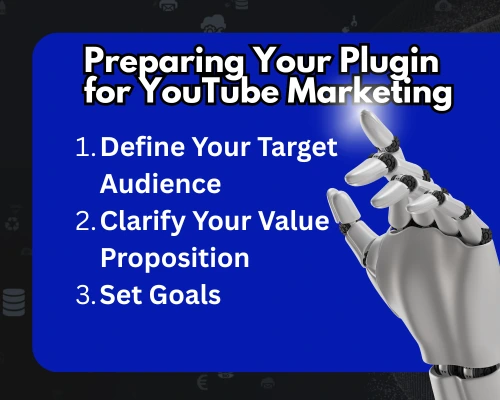
Define Your Target Audience
Before recording a video, the plugin developer must understand their audience. They should know who needs the plugin. When creators identify their audience, the content becomes stronger and more targeted.
Clarify Your Value Proposition
Next, the plugin developer should define the value of the plugin. They should list key features. The video should explain what makes the plugin unique. When a video has one clear message, the viewer understands the purpose of the video without confusion.
Set Goals for Your YouTube Marketing for WordPress Plugin
It is always beneficial for a promotional video to have a clear and specific agenda. It helps users connect immediately with your plugin. The developer can choose:
- Download growth
- Brand awareness
- Tutorial/support content
- Conversion into paid plans
When the video goal is specific, the YouTube strategy becomes easier to execute.
Types of YouTube Videos That Work Best for WordPress Plugins
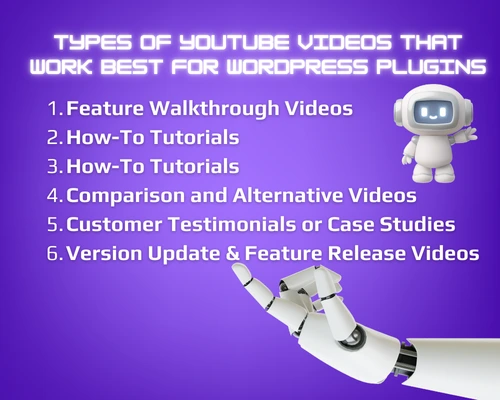
Uploading the right video on YouTube for promoting a WordPress plugin is key. And it is important that each video should have a clear goal and deliver value to the viewer. Here are the types of content that plugin developers can give to the audience:
Feature Walkthrough Videos for YouTube marketing for WordPress plugin
Show each core feature
Feature walkthrough videos show the main functionalities of your plugin. They help users understand exactly how the plugin works. Each video should focus on one core feature. Explain it step by step using clear visuals.
Keep clear and beginner-friendly
Avoid too many details at once in a promotional video. Keep the video beginner-friendly. Here, feature walkthroughs help reduce confusion and build trust. They also increase the chances of downloads and encourage users to leave feedback, supporting strategies like how to get more plugin reviews.
How-To Tutorials YouTube marketing for WordPress plugin
Example: “How to Create Forms Using XYZ Plugin”
How-to tutorials teach viewers how to achieve a specific goal using your plugin. For instance, a title like “How to Make a Contact Form Using Plugin X” attracts real search interest. Many people prefer watching a tutorial rather than reading documentation.
Educational and high SEO potential
These videos should be educational as they attract viewers who are actively seeking solutions. They have high SEO potential because they match real user intent. Tutorials show the practical value of your plugin. They also increase engagement and help users feel confident installing and using your plugin.
Interested? Here, find more SEO tips for WordPress Developers.
Use-Case or Workflow Videos for YouTube marketing for WordPress plugin
Show how the plugin solves real-world problems
Use case videos help viewers imagine themselves using the plugin. These videos highlight real scenarios. They show results and outcomes. This eventually helps users understand how the plugin fits into their workflow. Use-case videos can also encourage users to leave positive reviews, which is important for strategies like how to get more plugin reviews.
Highlight pain points and demonstrate the fix
Problem and solution videos highlight a common frustration of users. These videos explain the steps the plugin takes to fix that problem. This approach works well because it shows viewers that the plugin understands their needs.
Comparison and Alternative Videos
Highlight the reason why it’s a better choice
Comparison videos show how your plugin stacks up against competitors. For example, “XYZ Plugin vs ABC Plugin — Which is Better?” Highlight the best features of your plugin and tell why it is the better choice. These videos help viewers get to know your plugin better. They also position your plugin as a credible option. Comparison videos can directly influence conversions and encourage users to try your plugin.
Customer Testimonials or Case Studies
Real users sharing their experience increases trust
Testimonial and case study videos create social proof. They show that real users trust the plugin. This can also support strategies for how to get more plugin reviews because users who see positive feedback feel confident and encouraged.
Version Update & Feature Release Videos
Keeping existing users engaged and updated
Version update and feature release videos keep existing users. These videos highlight improvements, show new features, bug fixes, or interface changes in a simple way. These videos maintain engagement and help users feel supported.
How to Optimize YouTube Videos for Search (YouTube SEO)
Keyword Research for YouTube marketing for WordPress plugin
Search optimization plays a major role in YouTube success. The developer must perform keyword research. They can search on YouTube itself. Or they can use tools for it. Creators should find keywords that match their plugin category and user intent.
Writing Click-Worthy Titles
Next, the developer must write a strong and clear title. The title must include the plugin name and a benefit. Users must understand what they will learn before clicking.
Crafting Descriptions That Rank
The description also works as an SEO factor. A good description includes keywords and short sentences. It also includes timestamps. It should also include a call to action with the official plugin link.
Using Tags the Right Way
Tags also help with discoverability. Tags should include plugin category, plugin name, and related topics.
Creating Effective Thumbnails for YouTube marketing for WordPress plugin
A thumbnail also plays a big role in engagement. A clean thumbnail with a clear headline can increase the click rate. A screenshot of the plugin interface also helps viewers understand what the video will show.
How to Use YouTube to Drive Plugin Downloads and Conversions
Add Download Links Strategically
To turn viewers into users, the developer must place links strategically. The download link should appear in the video description. The same link should also appear as a pinned comment. Cards and end screens can also redirect users to the plugin website or tutorial playlist.
Build a Content Funnel for YouTube marketing for WordPress plugin
A content funnel helps guide viewers step by step. The first video can introduce the plugin. The next video can teach how to install it. The next video can demonstrate advanced features. This helps users transition from curiosity to action.
- Awareness → Tutorial → Case Study → Pricing/Install CTA
Include CTAs in the Video Script
Clear calls to action also matter. The creator should ask viewers to install the plugin. And if the version is paid, CTA should encourage users to try it.
- Ask viewers to install the plugin, subscribe, or try the premium version
How to Promote Videos for Higher Reach
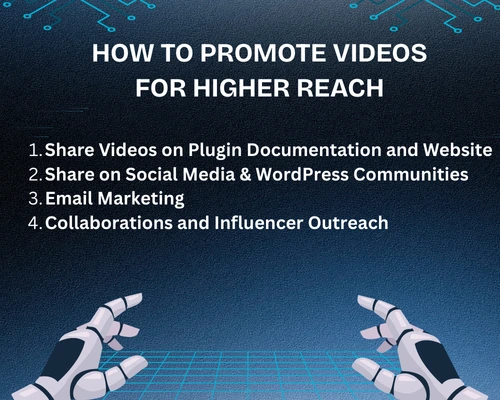
Share Videos on Plugin Documentation and Website
After uploading a video, the developer must share it. They should share it on the official plugin website. Also embed it into the documentation. Creators can include it in onboarding emails. This helps new users learn faster and reduces support tickets.
Share on Social Media & WordPress Communities
Facebook, Reddit, WordPress forums, and LinkedIn IT communities can help. Makers can share the video in relevant online communities.
Email Marketing
Email marketing helps maintain engagement. This can be done when users sign up for updates. They may appreciate quick visual tutorials.
Collaborations and Influencer Outreach
Collaboration also works well. The developer can reach out to WordPress reviewers or educators. Influencers already have an active audience. A review video from the right creator can generate downloads, traffic, and trust.
Conclusion for YouTube marketing for WordPress plugin
YouTube gives plugin developers a powerful way to promote their WordPress plugins. It helps users understand the plugin. These videos build trust and increase engagement. This also creates long-term visibility.
By planning content types, optimizing videos, and sharing them in the right places, any plugin developer can build a strong audience. YouTube can also support strategies like how to get more plugin reviews because it builds confidence and encourages user action.
Any plugin developer who wants more installs and stronger branding should invest in YouTube marketing. The best time to start is now!