HivePress
Description
HivePress is one of the best directory plugins for WordPress, built for anyone looking to launch a listing or marketplace website without writing a single line of code. From a local business directory to a classified ads platform or a full-blown rental marketplace, HivePress gives you the core infrastructure to go live fast — then scale with extensions as your needs grow. Monetization is baked in from the start: charge for listings, offer featured placements, gate access behind memberships, or collect commissions on transactions.
Main Features
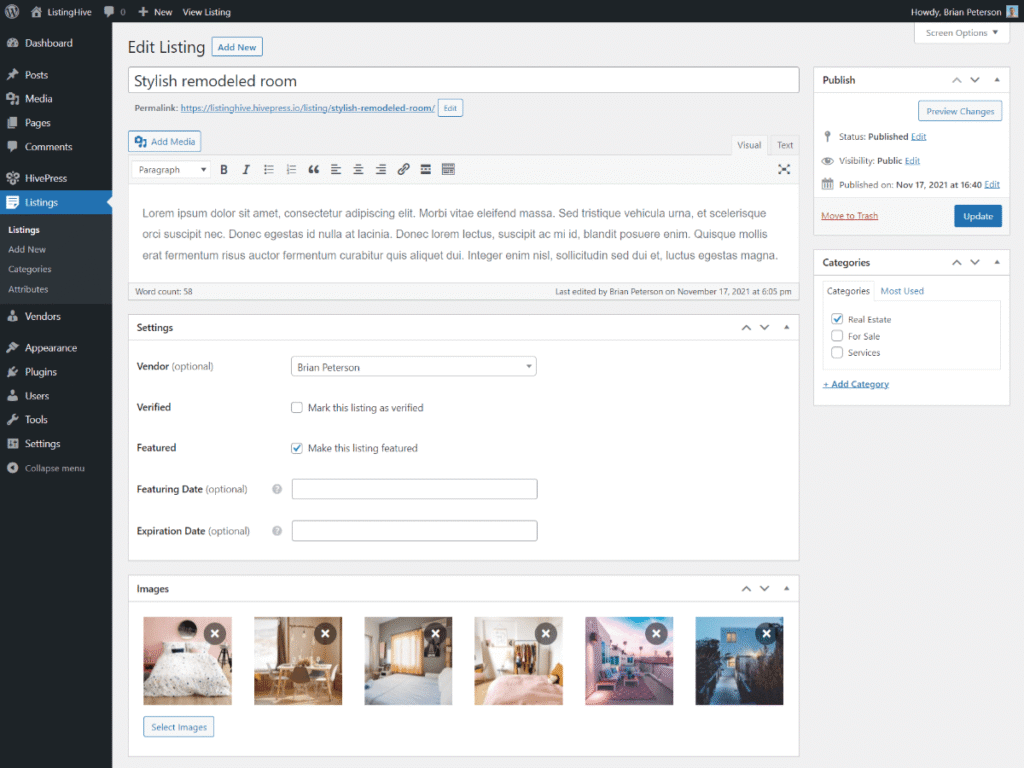
- Listing Categories & Custom Fields: Structure your directory exactly as needed. Create custom categories and add fields to listing forms to collect the right information for your niche.
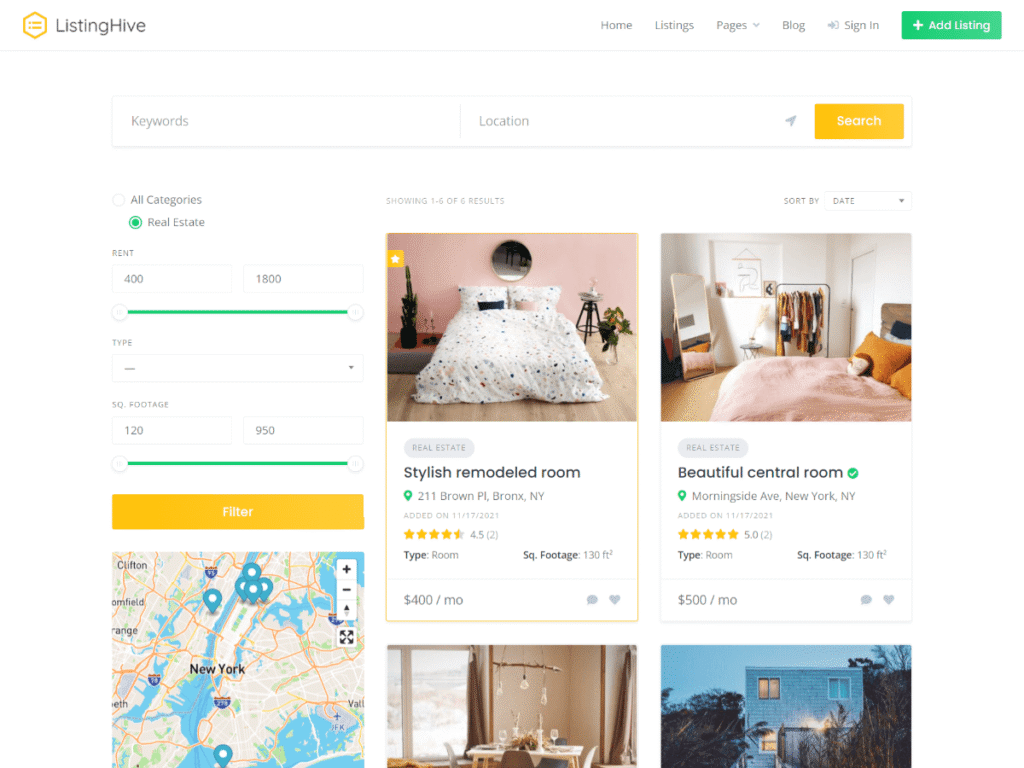
- Search Filters & Location Search: Any custom field can become a search filter. Location-based search is also supported out of the box for geo-targeted directories.
- Ratings & Reviews: Users can rate and review listings, adding credibility and social proof to your platform.
- Private Messaging: Built-in direct messaging between users, so communication happens on your site rather than through external channels.
- Paid Listings & Featured Placements: Create listing packages and charge for visibility, upgrades, or access tiers.
- REST API & Hooks: A clean, standards-compliant codebase with a full REST API and filter/action hooks for developers needing deeper customization
Benefits
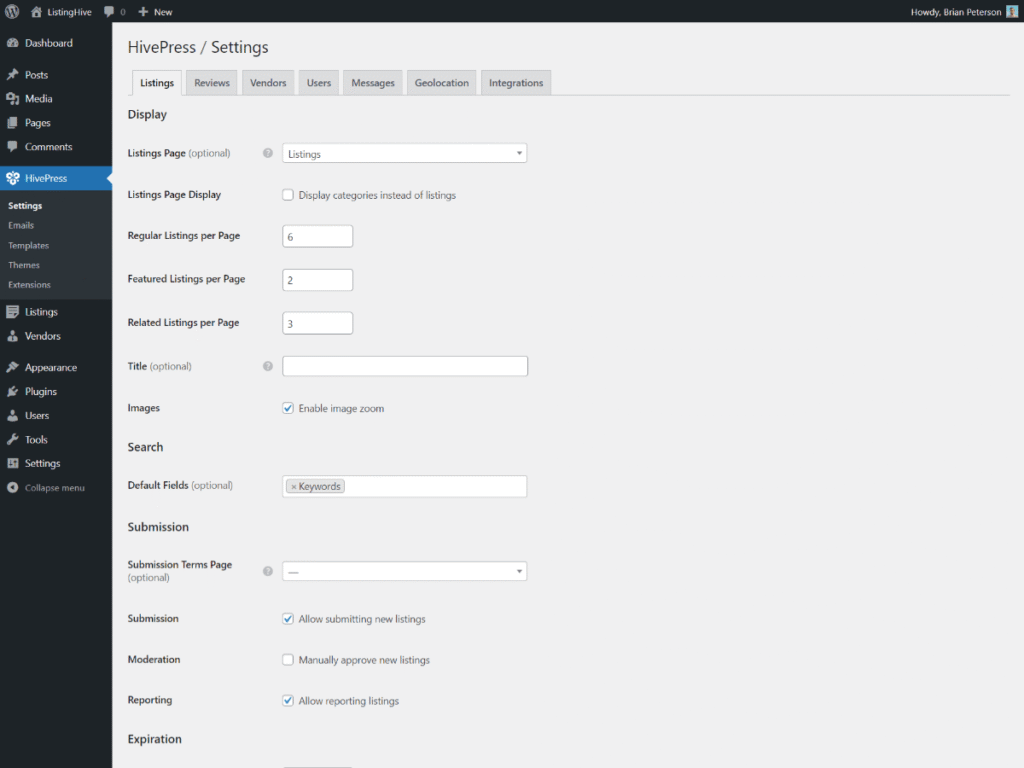
- Launch Without a Developer: The entire setup, from listing forms to payment collection, can be managed from the WordPress admin panel.
- Built for Any Niche: Jobs, rentals, services, classifieds, appointments, freelancers — the plugin structure adapts rather than forces you into a specific format.
- Free Core, Modular Upgrades: The base plugin is free and functional. Premium extensions let you add only what you actually need.
- Multiple Revenue Streams: Combine paid listings, commissions, featured spots, and memberships within the same site.
- Themes Matched to Use Cases: Official themes like ListingHive, RentalHive, ExpertHive, and TaskHive come pre-configured for specific marketplace types, cutting down setup time significantly.
- Direct Developer Support & Community: Support comes from the team that built the plugin. Beyond direct support, HivePress also has an active user community, an extensive library of ready-made code snippets for common customizations, and a 24/7 AI assistant for instant help at any hour.
How to Get Started
- Install HivePress: Available directly from the WordPress plugin repository, install and activate from your dashboard. While setting up, add any extensions you need — Bookings, Marketplace, Requests, or others.
- Choose a Theme: Use the free ListingHive theme or pick a premium niche theme suited to your platform type.
- Import a Demo: Install a ready-made demo to get a fully configured site in minutes, complete with sample listings, categories, and layout, no building from scratch required.
- Set Up Your Listings: Define categories, add custom fields, and configure search filters to match your directory structure.
- Configure Monetization: Enable paid listings, featured upgrades, commissions, or membership access depending on your business model.
- Launch: The site is ready to go live and accept users.
Pricing
The core HivePress plugin is free. Premium themes start at $69, extensions are sold individually or through the All Extensions bundle, which covers every current and future add-on in a single purchase — the most cost-effective option for anyone building a fully featured platform. All purchases come with a lifetime license, meaning you pay once and own it forever with no recurring fees. Not sure if it’s the right fit? Every purchase is backed by a 30-day money-back guarantee, so you can explore the full feature set without any risk.