Selecting the best booking system for WordPress websites can build or put an end to your WordPress website’s conversion rate. In any case, if you are running a service-based business, managing client bookings, or building websites for others, the WP plugin you choose will directly affect your WordPress web page’s user experience, scalability, and revenue.
Straightaway, two of the most used options among the WordPress’ ecosystem today are Amelia and Simply Schedule Appointments (SSA).
Although both of these plugins are useful and feature-rich, they are built for very different segments of users.
In this best WordPress appointment booking plugin comparison, we’ll break down Amelia WordPress appointment booking plugin vs Simply Schedule Appointments online booking business system WordPress. Read further to find out in-depth comparison of both of the plugins features and tools, pricing flexibility, WP performance, and general use cases. As a result, you will confidently choose the best and perfect fit solution for your WordPress website.
Quick Overview: Best scheduling Plugin for WordPress Comparison
Amelia WordPress booking plugin and Simply Schedule Appointments plugin are both well-known WordPress booking plugins, but they serve very different needs.
Amelia booking plugin is a premium, all-in-one appointment and event booking plugin perfect for all the types of growing businesses, teams, and complicated scheduling workflows. In short this plugin offers to its users various advanced features and functionalities, automation, and scalability which will be discovered in this article.
Simply Schedule Appointments, on the other hand, is more of a lightweight option and beginner friendly. This WordPress booking plugin for service-based businesses is focused on simplicity, fast setup, and ease of use. Hence, making it ideal for independent service providers and low-traffic websites.
As can be seen, Amelia booking plugin includes all of the features that are a perfectly fulfilling full-featured booking system, whereas the Simply Schedule Appointments plugin prioritizes a simple, easy-to-use scheduling experience.
Amelia Overview: Best Booking System for WordPress Websites
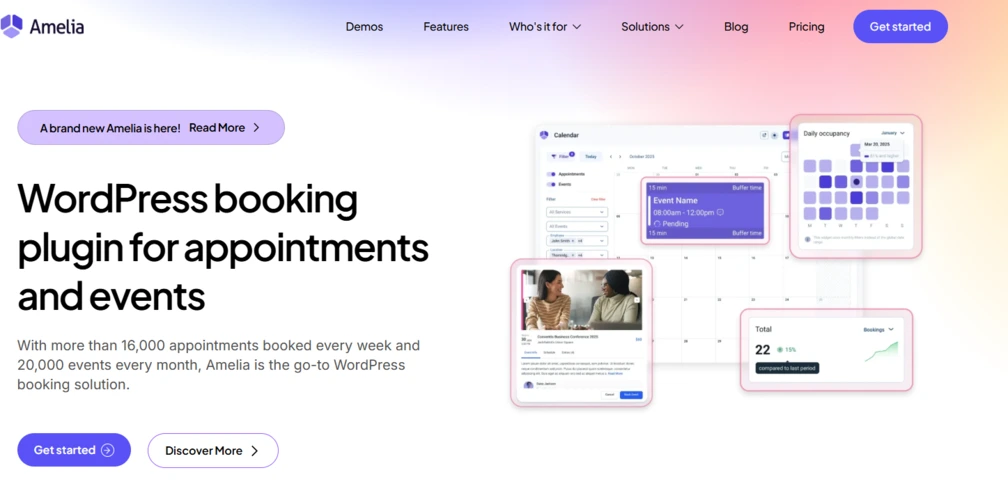
Amelia booking plugin for appointments and events is one of the most popular WordPress plugins in its niche. This booking plugin is full of all of the extensive functionalities built to automate online appointment scheduling. Furthermore, the Amelia appointment plugin is perfect for event booking for the companies offering various services. This WordPress plugin is highly regarded for its up-to-date interface. Hence, allowing customers to book 24/7 without manual assistance. Particularly, it is effective for small to medium-sized businesses that need to manage staff, services, and payments within a single WordPress dashboard rather than keep flow between multiple tools to find the needed information.
Now, let’s dive into the key features of the Amelia booking WordPress plugin.
Key Features of Amelia
Flexible Booking Forms: Delivers a step-by-step booking reservation assistance or a catalog view, which is mobile-friendly and fully-customizable to match your branding.
Two-Way Calendar Sync: Synchronizes with Google Calendar and Outlook Calendar for both employees and customers to prevent double-bookings.
Employee and Customer Panels: Dedicated front-end panels allow employees to always be in charge of their schedules and consumers to manage their own bookings.
Payment and WooCommerce Integration: Supports Stripe, PayPal, and Mollie for online payments, along with full WooCommerce integration.
Automated Notifications: Send automated SMS and email reminders or confirmations to clients, in order to reduce unattended bookings.
Event and Appointment Management: Manages both individual appointments and upcoming events, including special days and waiting lists.
Service Packages and Extras: Supports combining services and adding extra options to bookings.
Detailed Analytics: Integrates a dashboard to manage Key Performance Indicators (KPIs) like revenue, occupancy, and employee performance.
You can check out the demo version of Amelia booking plugin.
Pros
User-Friendly and Modern: Easy-to-navigate backend and a visually professional frontend.
Feature-Rich: Offers extensive functionality in one package, often reducing the need for multiple, smaller plugins.
Affordable Pricing: Offers lifetime license alternatives, providing excellent value for money.
Excellent Support: Responsive, patient, and in-depth customer support team.
Great for Teams: Supports limitless employees with individual working hours and schedules.
Cons
Requires Significant Learning: In spite of the intuitive UI, many of the features can be complicated for beginners.
Tough on Resources: The plugin is heavy, with large storage requirements.
Limited Complex Logic: Sometimes it may not fit highly complicated booking requirements, such as forcing specific sequences (e.g., requiring a consultation before a follow-up).
Missing Features: Some users note the lack of native gift voucher sales or, in some cases, limited customization options for the employee profile display.
Ideal Use Cases
Amelia is best suited for service-based businesses that need a strong and reliable, automated booking system
Health, Wellness, and Fitness: Gyms, Yoga Studios, Spas, Massage Salons, and Personal Trainers.
Healthcare: Dentists, Private Clinics, Counselors, and Psychologists.
Professional Services: Consultants, Law Firms, and Accountants.
Beauty and Personal Care: Hairdressers and Beauty Salons.
Creatives and Photographers: Portrait Studios and Event Photographers.
Education and Training: Tutors and Workshop Organizers.
Simply Schedule Appointments Overview: Best Booking System for WordPress Websites
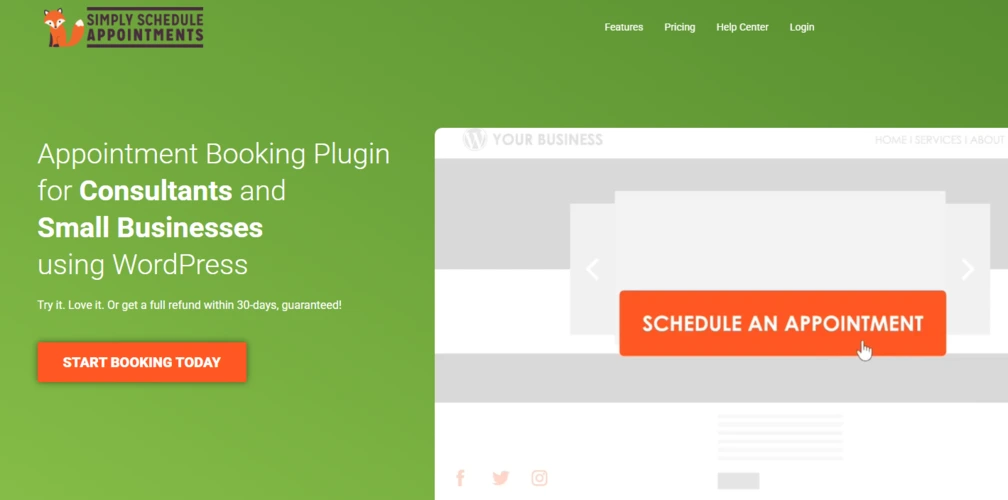
Simply Schedule Appointments is also a popular, user-friendly WordPress booking plugin built to make the appointment and scheduling process easier. Via this plugin users can directly schedule their appointments on a website without the complication of larger, enterprise-focused solutions. The SSA plugin is generated for speed and simplicity, enabling small businesses to set up functional booking calendars in under 5 minutes.
Key Features
Unlimited Booking Calendars: Create as many appointment types and calendars as you need, in this plugin there are no limitations.
Easy WordPress Embedding: Integrates directly into WordPress platform. The plugin is using Block Editor, Elementor, Divi, or Beaver Builder modules as well.
Automated Notifications: Send customized emails or SMS notifications for reminding and confirmations (SMS is available only in paid versions).
Google Calendar Sync: The plugin easily synchronizes with your personal calendars, hence preventing double-bookings. (Available only in Plus/Pro/Business deals).
Payment Integrations: Supports Stripe and PayPal to accept payments directly on the booking form (Available only for Pro/Business versions users).
Team and Resource Scheduling: Organizes multiple employee members, assigns bookings, and reserves equipment (available on Business Edition).
Advanced Features: Involves custom fields, group/class bookings, and timezone localization.
Security and Compliance: GDPR-compliant and capable of supporting HIPAA compliance.
Pros
Beginner-Friendly: Very easy to install and set up via the Setup Wizard functionality.
High Performance: The plugin responsiveness is fast, and lightweight.
Excellent Support: Indicates a responsive and helpful customer support service.
Customizable: Includes various styling options to match your brand identity.
Developer Friendly: Offers integrations like Gravity Forms and Formidable Forms.
Cons
WordPress Exclusive: The SSA plugin is only embeddable with WordPress websites.
Premium Cost: The most useful and needed features (e.g. syncing, payments, team) are restricted to higher-priced, yearly subscriptions and are available only to paid version users.
Basic Version Limitations: Free version lacks calendar sync, which is necessary for avoiding conflicts with external schedules.
Ideal Only for the Small Teams: The plugin is built only for the small business meetings appointments.
Ideal Use Cases
Simply Schedule Appointments is ideal for small to medium-sized businesses and one-person businesses operating on WordPress
Client Meetings: Consultants, coaches, lawyers, and agents needing booking forms on their site.
Service Scheduling: Hair salons, tattoo shops, cleaners, and photographers.
Tutoring/Lessons: Teachers and fitness instructors setting up class lessons.
Event/Visitor Booking: Small event, workshop teachers, or restaurant table reservations.
Small Teams: Coordinating appointments among several staff members using the Business Edition.
Feature-by-Feature Comparison of Best Booking System for WordPress Websites
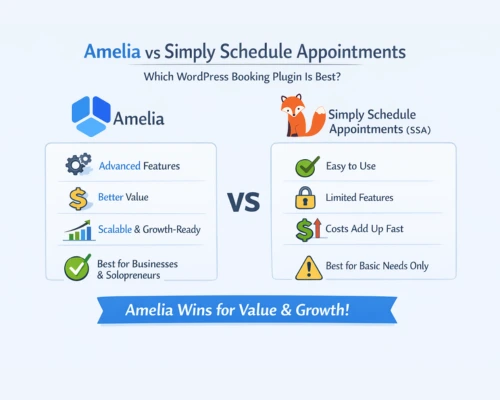
Booking Flexibility
- Amelia: Fully customizable and flexible, supports complicated options, services, and events
- SSA: Standard and basic scheduling system with limited customization
Winner: Amelia
User Experience (Admin and Frontend)
- Amelia: Feature-rich dashboard, takes a little time to learn
- SSA: Minimalistic, intuitive, and beginner-friendly
Winner: Simply Schedule Appointments
Customization and Design
- Amelia: Numerous advanced customization options
- SSA: Clean and simple but limited styling options and control
Winner: Amelia
Payments and Integrations
- Amelia: Strong and reliable payment and automation integrations
- SSA: Suitable for simple payment methods
Winner: Amelia
Performance and Site Speed
- Amelia: Well-optimized and fast
- SSA: Lightweight and fast
Winner: Both
Scalability
- Amelia: Built to scale simultaneously with your business growth
- SSA: Best for small, static operations
Winner: Amelia
Pricing Comparison: Which Plugin Offers Better Value?
Simply Schedule Appointments Pricing:
- Free version available with basic features
- Plus Edition: $99/year (for 1 domain only)
- Professional Edition: $199/year (for 1 domain only) with payments and advanced booking
- Business Edition: $399/year for unlimited team members and priority support
- Starter: $69/year (for 1 domain with primary booking features)
- Pro: $199/year with feature-rich automation, all packages, and integrations
- Elite: $499/year for unlimited websites and full features
- Lifetime license option is also available within Amelia plugin’s pricing
Verdict:
While SSA is user-friendly, its premium plans get expensive quickly for team or advanced features. Meanwhile Amelia booking plugin pricing offers more value, with lower starting prices, more features included in each plan, and lifetime options. Thus, making it the smarter choice for both the independent entrepreneurs and growing businesses.
SEO, Performance and WordPress Compatibility of Best Booking System for WordPress Websites
Now let’s compare the plugins from an SEO and performance perspective:
- SSA is lighter and faster, ideal for minimal setups
- Amelia requires appropriate optimization but delivers advanced functionality
Both plugins are compatible with:
- The most popular WordPress themes
- The most popular page builders like Elementor and Gutenberg
Which Best Booking System for WordPress Websites Should You Choose?
Simply Schedule Appointments is great for basic scheduling, BUT Amelia offers more value and scalability. The Amelia WordPress plugin includes high-performance booking, payments, automation, and scalable features at a lower starting price, while SSA requires premium plans for similar functionality. Thus, with better ongoing value and the alternative of a lifetime license, Amelia is the smarter choice for every business type.
Expert Tip from WPGlob
One of the common and biggest mistakes WordPress users make is choosing a booking plugin based on features they don’t actually need. Thus, pay attention to what problems does the plugin solve and what solutions it offers you.
At WPGlob best blog about WordPress, we help businesses and plugin owners:
- Choose the right plugins for their goals
- Optimize plugin’s visibility among WordPress platform
- Grow visibility and conversions