Having a unique logo is the key component of an authentic and innovative brand. The logo, being the first element that grabs the customers’ attention, should be professional and high-quality.
Diverse logo makers nowadays started to integrate AI technology that helps to achieve a professional logo design, at the same time saving resources and time. These tools are a great solution even for people without any design background, with the help of their intuitive interface. As well as the extensive customization, helps to make your logo specific to your brand goal.
This article will compare these logo makers and conclude which one is better for the brand design.
Primary Features of the Logo Makers
Design.com
Design.com is the leading logo maker for the brand creation. No matter if you have a startup or a developed brand, the tool provides a number of options and design templates that are perfect for people with any needs.
Why it’s Our Pick
- File Types: You can download your logos in SVG, EPS, PDF, PNG, JPG, as well as GIF and MP4 animated files and files with transparent backgrounds.
- Voting Poll: After creating your logo, you can send it to your colleagues, review their feedback, and improve the design to make it even more specific to your brand.
- Printing: You can get your logo printed on cups, mugs, caps, t-shirts, mousepads, business cards, etc and get a free delivery for all printing.
- Free Logos: There are a number of free logos on Design.com that can be edited and downloaded as the premium ones. However, if you cannot download the created assets, you will need a premium plan.
- Additional Free Offerings: Users can also have access to a free website builder, free electronic business card maker, free link in bio maker, and publish them all for free.
These features make Design.com a leading option for the brand logo creation.
Canva Logo Maker
Canva logo maker is an interesting tool for beginners, enabling them to easily create and edit any logos. With the integration of AI tools, the logo maker helps to create a unique and diverse logo design.
Features to Consider
- Animated Logos: Users can create motion graphics for digital use.
- File Types: You can download your logos in diverse file types, including PNG, JPG, SVG, as well as MP4 and GIF for animated logos.
- Drag-and-Drop Editor: Users can easily edit, move, and resize elements like texts, illustrations, or icons.
These are some of the benefits that make Canva logo maker a good option for brands.
Feature Comparison
A comparison table can help to go deeper into the main features of the logo makers and help to identify which one is better for branding purposes.
| Main Features | Design.com | Canva Logo Maker |
| AI Integration | The tool offers extensive AI integration that includes AI design options, including AI logo generator, AI website builder, AI business cards, AI flyers, AI posters, AI presentations, AI business name generator, AI background remover, etc. | An AI assistant automatically applies colors, fonts, or the tone of the logo to make the design aligned. |
| Template Library | There are 360K+ templates only for logo design and 1 million total design templates. | Over 1 million template selections. |
| Customization | Users are able to alter colors, fonts, icons, and layouts. There are over 62K custom, vector shapes, and over 750+ fonts, 525+ of which are exclusive. | You can customize texts, fonts, colors, icons to create a unique logo. |
| Ownership Terms | Logos are 100% commercially safe. In addition, Design.com is the only logo maker that offers extended licensing, giving exclusive use of your logos. | Users own their design; however, ownership is limited as a result of non-exclusive design elements. |
| Best For | Brands, entrepreneurs, beginners, small businesses, startups, etc. | Beginners, small business. |
| Brand Creation | There are 50+ branding design options, like websites, business cards, digital business cards, flyers, menus, social media posters, videos, QRs, presentations, letterheads, and many more. | You can create brand kits, presentations, social media templates, moodboards, posters, flyers, business cards, etc. |
| Pricing | There is a free tier giving access to most of the logos. General plans start from $5/ a month/ billed annually. | The tool has a free pricing plan. General plans start from $7.50/ a month. |
According to the above mentioned factors, we can conclude that Design.com wins in most of the categories, becoming a great option for the brand’s use.
Which Tool Offers Better Quality?
Before making the final decision, let’s compare the logos created by the logo makers, paying attention to the design elements and quality.
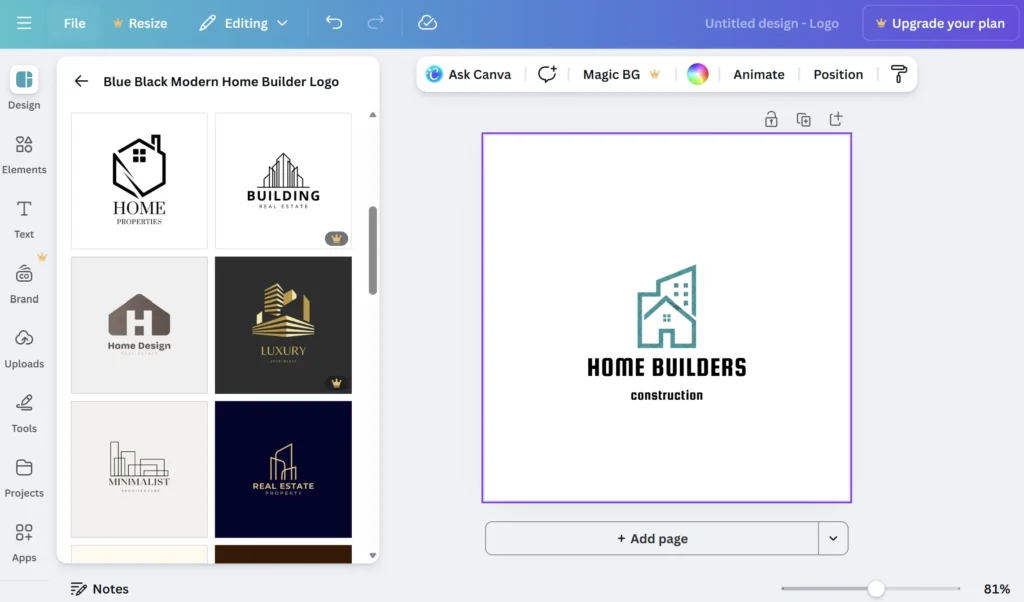
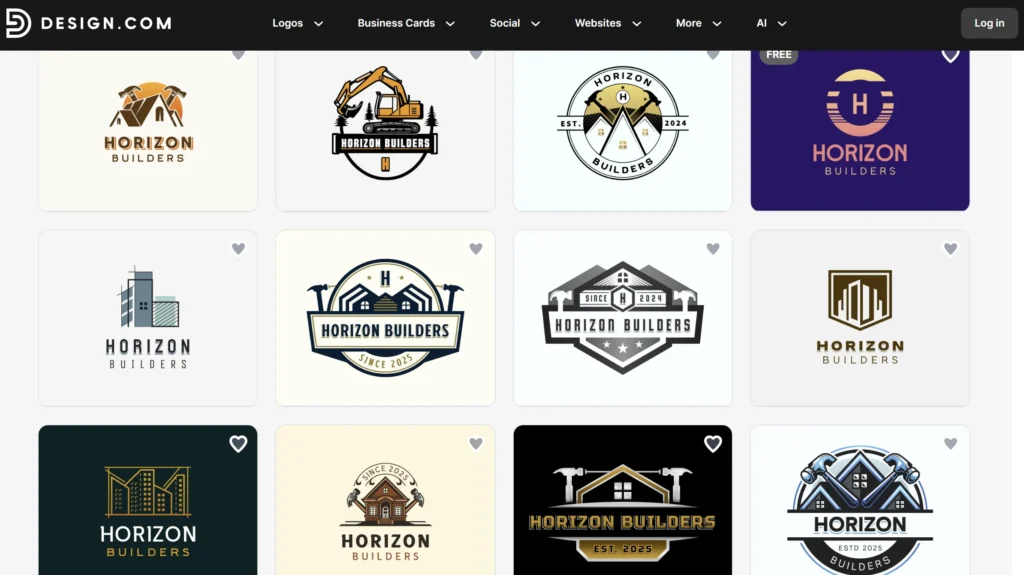
Firstly, the format of the tools is different. On Design.com, we have access to hundreds of logos for only one theme and can choose our logo and easily customize it. On the other hand, on the Canva logo maker, we have limited options.
- The first aspect is the quality, and we can identify that Design.com is a safer solution for brand creation. Their logos are higher in quality with the help of the integration of professional designers, and richer in design.
- Looking at the overall design, we can see that the logos by Canva logo makers are usually simple ones. In contrast, Design.com offers richer and more innovative designs. Making sure that your brand will stand out in the field and attract more customers.
- Both of the tools have provided interesting coloring solutions. However, as the logos by Design.com include shadowing and rich colors, it ensures the uniqueness of the logo design.
Therefore, we can conclude that in terms of quality and innovative solutions, Design.com takes a leading position.
Closing Remarks
Having a logo for a brand is the first and foremost factor. With the help of diverse logo makers, this has become easier than ever before.
After conducting a thorough comparison of Canva logo maker and Design.com, we can conclude that Design.com is a better option for the brand creation with the help of its extensive branding designs and ownership terms. That said, Canva still holds its own for extending your brand beyond a logo — you can use it to design promotional tote bags and other branded merchandise, making it a practical choice for giveaway campaigns and events. Additionally, the tool provides enhanced AI integration and free use of most logos, which are not only unique but also professional in design.
Be mindful when creating a brand design and choose the most trustworthy option.
For more articles click here.